
About FreeFixer
FreeFixer is a powerful antispyware tool designed to help users remove malware, adware, and other types of threats from their computers. Its primary use case is to scan and clean systems infected with malicious software, providing a top benefit of enhanced security and threat protection. By using FreeFixer, users can enjoy a safer browsing experience and protect their personal data from potential cyber threats.
What is FreeFixer?
FreeFixer is a free antispyware software developed by Roger Karlsson, a renowned expert in the field of malware removal. It is designed to scan and remove malicious software, including spyware, adware, and other types of threats that can compromise system security. FreeFixer has a reputation for being a reliable and effective tool in the fight against malware, with a long history of providing users with a safe and secure browsing experience.
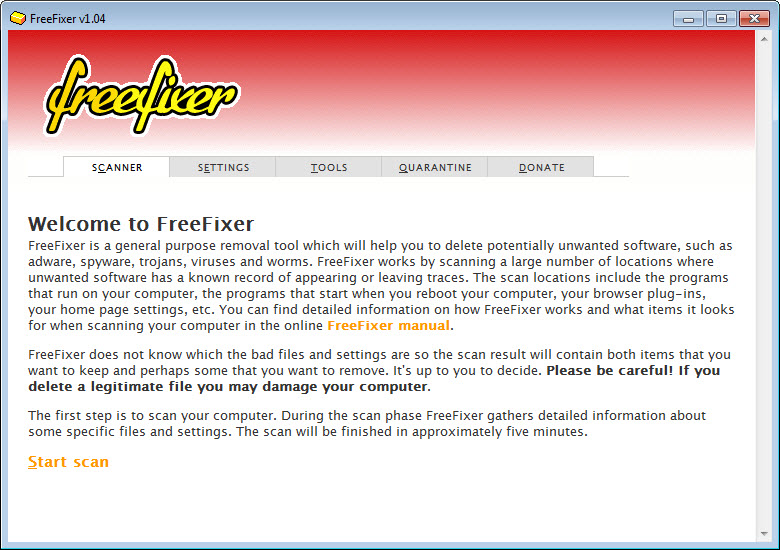
FreeFixer works by scanning the system for potential threats and providing users with a list of detected items. It then allows users to choose which items to remove, giving them control over the cleaning process. This approach makes FreeFixer a valuable tool for users who want to take an active role in protecting their systems from malware.
With its robust scanning engine and user-friendly interface, FreeFixer has become a popular choice among users looking for a free and effective antispyware solution. Its ability to detect and remove a wide range of threats makes it an essential tool for anyone concerned about system security and threat protection.
Overall, FreeFixer is a powerful and reliable antispyware tool that can help users protect their systems from malicious software and enjoy a safer browsing experience. Its ease of use and effectiveness make it a great choice for users of all skill levels, from beginners to professionals.
FreeFixer Key Features
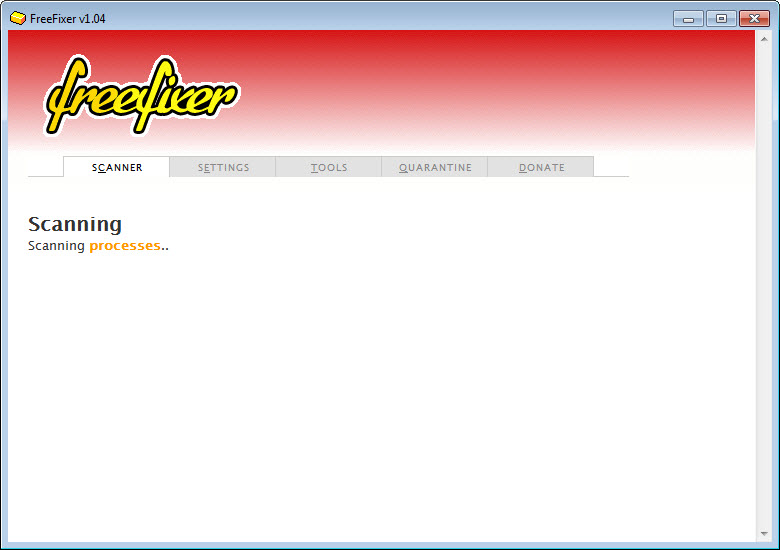
- Malware Scanning: FreeFixer's scanning engine is designed to detect and remove a wide range of malware, including spyware, adware, and other types of threats. This feature provides users with a comprehensive solution for protecting their systems from malicious software.
- Real-time Protection: FreeFixer offers real-time protection, monitoring the system for potential threats and providing users with instant alerts and removal options. This feature helps to prevent malware from infecting the system in the first place.
- Customizable Cleaning: FreeFixer allows users to choose which items to remove, giving them control over the cleaning process and ensuring that only unwanted items are deleted. This feature provides users with flexibility and customization options.
- Automatic Updates: FreeFixer receives automatic updates, ensuring that its scanning engine and threat database are always up-to-date and effective against the latest malware threats. This feature provides users with ongoing protection and peace of mind.
- User-friendly Interface: FreeFixer's interface is designed to be easy to use, even for users with limited technical expertise. This feature makes it accessible to a wide range of users, from beginners to professionals.
- Threat Detection: FreeFixer is capable of detecting a wide range of threats, including spyware, adware, Trojans, and other types of malware. This feature provides users with comprehensive protection against various types of malicious software.
- System Tray Alerts: FreeFixer provides system tray alerts, notifying users of potential threats and allowing them to take immediate action. This feature helps to prevent malware from causing harm to the system.
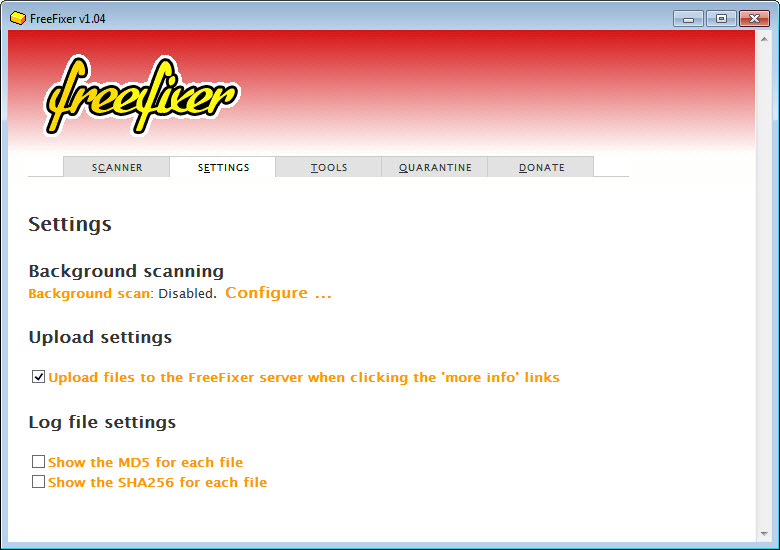
- Scan Scheduling: FreeFixer allows users to schedule scans, ensuring that their systems are regularly checked for malware and other threats. This feature provides users with flexibility and customization options.
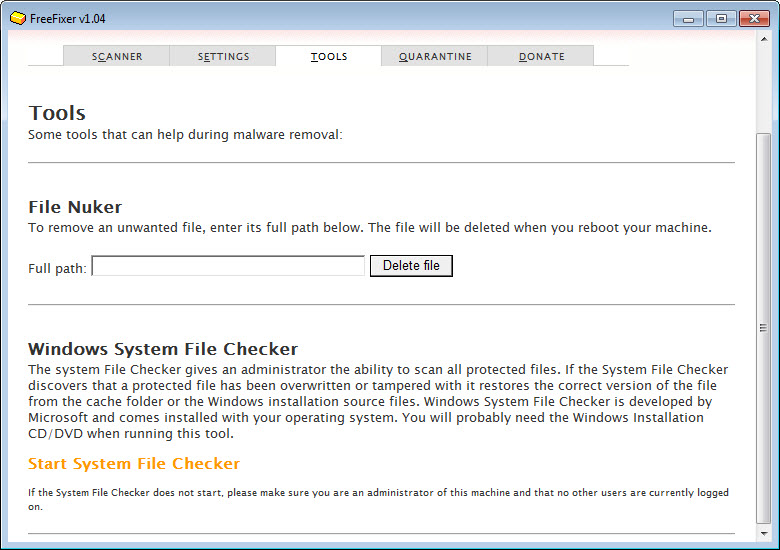
- Quarantine Function: FreeFixer's quarantine function allows users to isolate and remove detected threats, preventing them from causing harm to the system. This feature provides users with an additional layer of protection and security.
- Support for Multiple Languages: FreeFixer is available in multiple languages, making it accessible to users from around the world. This feature provides users with a convenient and user-friendly experience.
- Compatibility with Various Operating Systems: FreeFixer is compatible with various operating systems, including Windows, making it a versatile and widely applicable solution. This feature provides users with flexibility and compatibility options.
Who Should Use FreeFixer?
FreeFixer is designed for users of all skill levels, from beginners to professionals. It is an ideal solution for anyone looking for a free and effective antispyware tool to protect their system from malware and other threats. Whether you are a home user, a business user, or an IT professional, FreeFixer provides a reliable and efficient way to scan and remove malicious software.
Beginners will appreciate FreeFixer's user-friendly interface and ease of use, while professionals will value its advanced features and customization options. Businesses can also benefit from using FreeFixer, as it provides a cost-effective solution for protecting multiple systems from malware and other threats.
Overall, FreeFixer is a versatile and widely applicable solution that can be used by anyone looking to protect their system from malicious software and enjoy a safer browsing experience.
FreeFixer: Pros and Cons
Advantages:
- Effective malware detection and removal
- Real-time protection and automatic updates
- Customizable cleaning and quarantine function
- User-friendly interface and ease of use
- Free to use and compatible with various operating systems
- Support for multiple languages and scan scheduling
- Regular updates and improvements to stay ahead of emerging threats
Disadvantages:
- Limited customer support options
- May not detect all types of malware or threats
- Can be resource-intensive during scans
- May require additional configuration for advanced features
Is FreeFixer Free?
Yes, FreeFixer is completely free to use, with no paid upgrades or subscriptions required. It is a free antispyware tool that provides users with a comprehensive solution for protecting their systems from malware and other threats. There are no hidden costs or fees, and users can enjoy all the features and benefits of FreeFixer without spending a dime.
As a free solution, FreeFixer is an attractive option for users who want to protect their systems without breaking the bank. Its free status makes it accessible to a wide range of users, from individuals to businesses, and provides a cost-effective solution for protecting multiple systems from malware and other threats.
Frequently Asked Questions about FreeFixer
Yes, FreeFixer is safe to use, as it is designed to detect and remove malicious software from your system. It is a reliable and effective antispyware tool that provides users with a safe and secure browsing experience.
FreeFixer scans and removes malware, adware, and other types of threats from your system, providing real-time protection and automatic updates to ensure your system remains secure.
Yes, FreeFixer is completely free to use, with no paid upgrades or subscriptions required. It provides users with a comprehensive solution for protecting their systems from malware and other threats without spending a dime.
To use FreeFixer, simply download and install the software, then launch it and follow the prompts to scan your system for malware and other threats. You can also customize the cleaning process and schedule scans to ensure your system remains secure.
FreeFixer and Malwarebytes are both effective antispyware tools, but they have different features and approaches. FreeFixer is a free solution that provides real-time protection and automatic updates, while Malwarebytes offers a paid upgrade with additional features and support. Ultimately, the choice between FreeFixer and Malwarebytes depends on your specific needs and preferences.
In conclusion, FreeFixer is a powerful and reliable antispyware tool that provides users with a comprehensive solution for protecting their systems from malware and other threats. With its real-time protection, automatic updates, and customizable cleaning options, FreeFixer is an essential tool for anyone looking to enhance their system security and enjoy a safer browsing experience. We highly recommend downloading and using FreeFixer to protect your system from malicious software and other online threats.
Screenshots
Specifications
User Reviews
No reviews yet. Be the first to review!