
About iTunes
iTunes is a multimedia software that enables users to manage and play their music, videos, and podcasts across various devices, providing a seamless and organized digital entertainment experience. The primary use case of iTunes is to centralize media management, making it easy to access and enjoy content. With iTunes, users can effortlessly sync their media libraries across devices, discover new content, and enjoy a top-notch playback experience.
What is iTunes?
iTunes is a free multimedia software developed by Apple Inc, designed to cater to the diverse media needs of users. It solves the problem of fragmented media libraries by providing a unified platform for managing and playing music, videos, and podcasts. iTunes has a long history, dating back to 2001, and has since become a reputable and widely-used media management tool.
Over the years, iTunes has evolved to incorporate various features, such as the iTunes Store, which allows users to purchase and download music, movies, and TV shows. iTunes has also expanded its compatibility to support a range of devices, including iPhones, iPads, and Apple TVs.
As a multimedia software, iTunes enables users to create playlists, edit metadata, and customize their media libraries. Its intuitive interface and robust feature set have made it a popular choice among music enthusiasts and casual users alike. iTunes is widely recognized for its ability to seamlessly integrate with other Apple devices and services.
iTunes has undergone significant updates and improvements, with the current version being 12.13.10.3, which offers enhanced performance, bug fixes, and new features. The software's reputation for delivering high-quality media management and playback has solidified its position as a leading multimedia application.
iTunes Key Features
- Media Library Management: iTunes allows users to organize and manage their music, video, and podcast libraries, making it easy to find and play content. This feature is essential for users with large media collections.
- iTunes Store: The iTunes Store enables users to purchase and download music, movies, and TV shows, providing access to a vast library of digital content. This feature is convenient for users who want to discover new content.
- Playlist Creation: iTunes allows users to create custom playlists, making it easy to organize and enjoy favorite songs and artists. This feature is useful for users who want to personalize their music experience.
- Syncing: iTunes enables users to sync their media libraries across devices, ensuring that content is always up-to-date and accessible. This feature is essential for users with multiple devices.
- Metadata Editing: iTunes allows users to edit metadata, such as song titles, artist names, and album artwork, making it easy to customize media libraries. This feature is useful for users who want to organize their media collections.
- Podcast Management: iTunes provides a dedicated podcast section, making it easy to discover, subscribe, and play podcasts. This feature is convenient for users who enjoy listening to podcasts.
- Video Playback: iTunes enables users to play video content, including movies and TV shows, in high-quality format. This feature is essential for users who want to enjoy video content on their devices.
- Audiobook Management: iTunes allows users to manage and play audiobooks, making it easy to enjoy spoken content. This feature is useful for users who enjoy listening to audiobooks.
- CD Burning: iTunes enables users to burn CDs, making it easy to create physical copies of music libraries. This feature is convenient for users who want to create backup copies of their music.
- Device Management: iTunes allows users to manage connected devices, such as iPhones and iPads, making it easy to sync and backup content. This feature is essential for users who want to manage their devices.
- Equalizer Settings: iTunes provides equalizer settings, enabling users to customize audio playback to their preferences. This feature is useful for users who want to enhance their audio experience.
- Parental Controls: iTunes offers parental controls, allowing users to restrict access to certain content and features. This feature is essential for parents who want to control their children's access to content.
Who Should Use iTunes?
iTunes is an ideal software for anyone who wants to manage and play their media content, including music, videos, and podcasts. It is suitable for both beginners and professionals, as it offers a user-friendly interface and advanced features. iTunes is particularly useful for users who have multiple devices, as it enables seamless syncing and playback across different platforms.
Businesses can also benefit from using iTunes, as it provides a convenient way to manage and play media content in a professional setting. Additionally, iTunes is a great tool for educators, as it allows them to create and manage playlists for educational purposes.
No specific skill level is required to use iTunes, as it is designed to be intuitive and easy to use. However, users who are familiar with media management software may find it easier to navigate and utilize the advanced features of iTunes.
iTunes: Pros and Cons
Advantages:
- iTunes offers a seamless media management experience, making it easy to organize and play content.
- The software provides a wide range of features, including playlist creation, metadata editing, and syncing.
- iTunes is compatible with a variety of devices, including iPhones, iPads, and Apple TVs.
- The software offers a user-friendly interface, making it easy for beginners to navigate and use.
- iTunes provides access to the iTunes Store, where users can purchase and download music, movies, and TV shows.
- The software offers parental controls, allowing users to restrict access to certain content and features.
- iTunes enables users to burn CDs, making it easy to create physical copies of music libraries.
Disadvantages:
- iTunes can be resource-intensive, which may slow down older devices.
- The software may require frequent updates, which can be inconvenient for some users.
- iTunes may not be compatible with all devices, which can limit its functionality.
- The software may have a steep learning curve for advanced features, which can be overwhelming for some users.
Is iTunes Free?
iTunes is a free software, and users can download and install it without paying any fees. The software is available for both Windows and macOS, and it can be downloaded from the Apple website. While iTunes is free, some features, such as purchasing music or movies from the iTunes Store, may require a payment.
iTunes does not offer any paid tiers or subscriptions, and all features are available to users for free. However, users may need to purchase additional storage or services, such as iCloud, to access certain features or content.
Frequently Asked Questions about iTunes
Yes, iTunes is safe to use, as it is developed by Apple Inc and is regularly updated to ensure security and stability. However, users should always download iTunes from the official Apple website to avoid any potential risks.
iTunes is a multimedia software that enables users to manage and play their music, videos, and podcasts across various devices. It provides a range of features, including media library management, playlist creation, and syncing.
Yes, iTunes is a free software, and users can download and install it without paying any fees. However, some features, such as purchasing music or movies from the iTunes Store, may require a payment.
To use iTunes, simply download and install the software, then launch it on your device. You can then import your media library, create playlists, and customize your settings to suit your preferences.
iTunes and Windows Media Player are both multimedia software, but they have different features and compatibility. iTunes is designed for Apple devices, while Windows Media Player is designed for Windows devices. iTunes offers a more seamless media management experience, but Windows Media Player may be more compatible with certain devices.
In conclusion, iTunes is a powerful and feature-rich multimedia software that is worth downloading for anyone who wants to manage and play their media content. With its user-friendly interface, advanced features, and seamless syncing capabilities, iTunes is an ideal choice for both beginners and professionals. We highly recommend iTunes for anyone looking for a reliable and efficient media management solution.
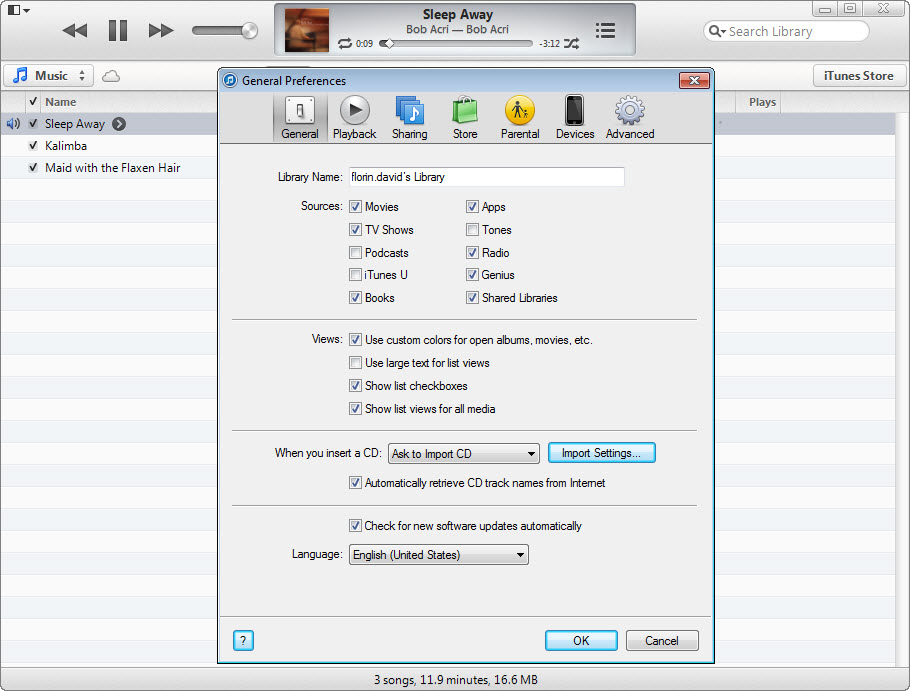
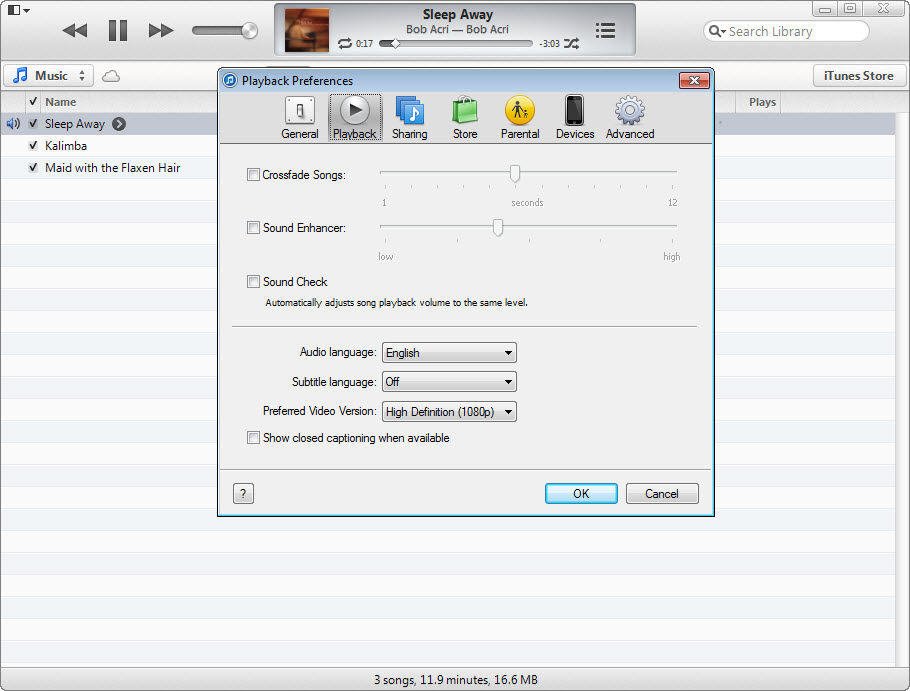
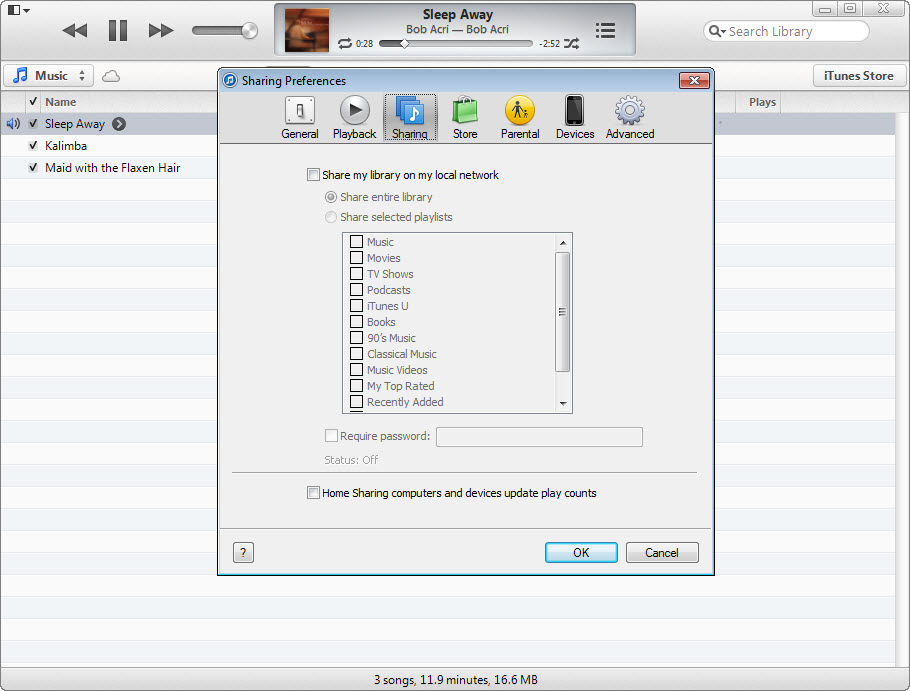
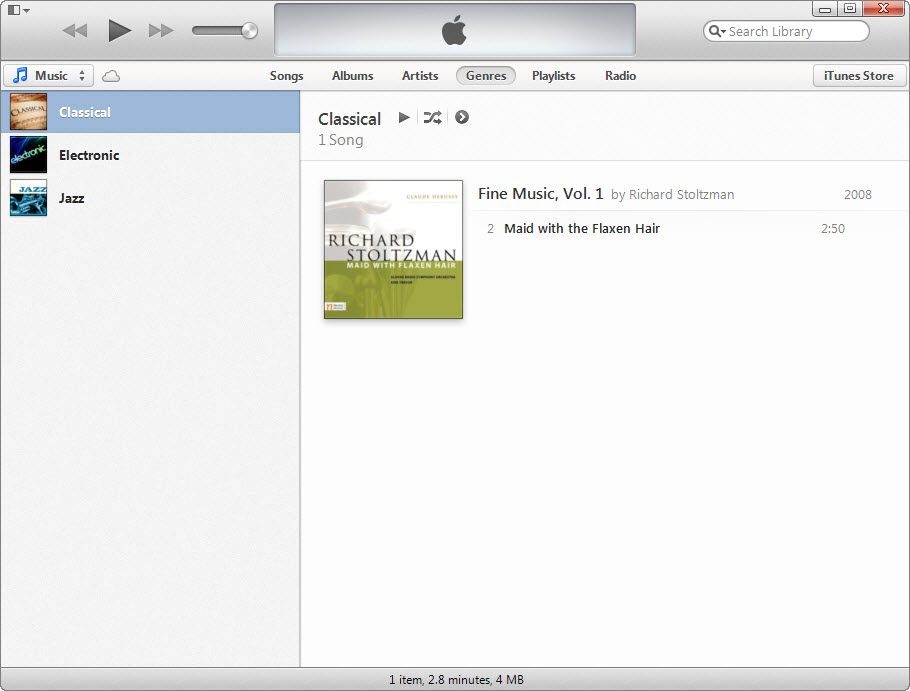
Screenshots
Specifications
User Reviews
No reviews yet. Be the first to review!