
About VLC Media Player
VLC Media Player is a free and open-source media player that allows users to play various audio and video formats, making it a versatile solution for entertainment and multimedia needs. Its primary use case is to provide a reliable and efficient way to play media files without the need for additional codecs or plugins. With VLC Media Player, users can enjoy their favorite movies, music, and other media content with ease.
What is VLC Media Player?
VLC Media Player is a product of VideoLAN, a non-profit organization that aims to provide free and open-source multimedia solutions. Developed by a community of volunteers, VLC Media Player has become one of the most popular media players worldwide, known for its stability, flexibility, and wide range of features. VLC Media Player solves the problem of media compatibility by supporting a vast array of file formats, including MP3, MP4, AVI, and many more.
VLC Media Player has a long history, dating back to 2001, and has since become a household name in the world of media players. Its reputation for being reliable, efficient, and easy to use has made it a favorite among users of all levels. VLC Media Player is available for various operating systems, including Windows, macOS, and Linux, making it a cross-platform solution for media playback.
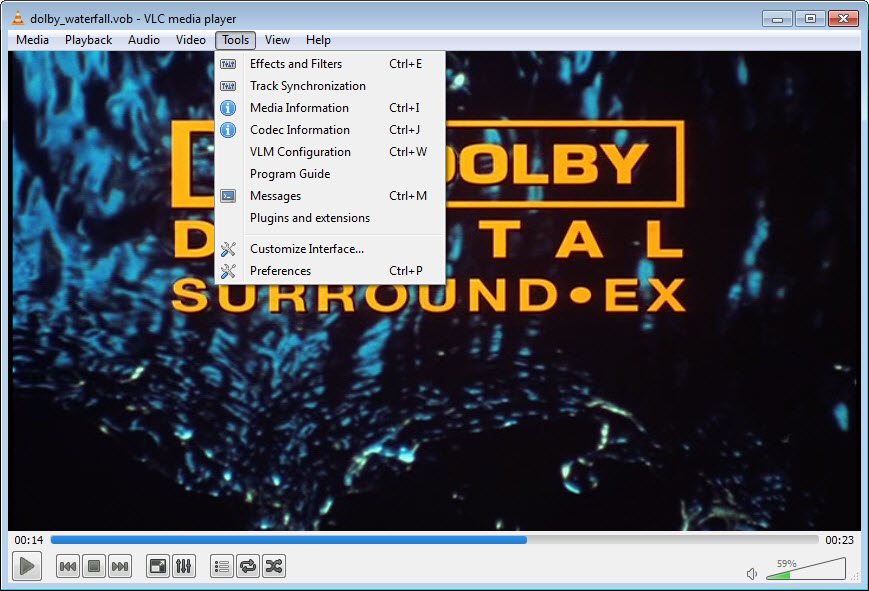
With its simple and intuitive interface, VLC Media Player makes it easy for users to navigate and play their media files. The player also supports various playback controls, such as pause, stop, and rewind, allowing users to customize their viewing experience. Overall, VLC Media Player is a powerful and versatile media player that meets the needs of users who want to play their media files without hassle.
VLC Media Player's latest version, 3.0.23, continues to build on its legacy, offering improved performance, new features, and enhanced support for various media formats. With its active community of developers and users, VLC Media Player remains a top choice for media playback, and its free and open-source nature makes it an attractive option for those looking for a cost-effective solution.
VLC Media Player Key Features
- Media Playback: VLC Media Player supports a wide range of audio and video formats, including MP3, MP4, AVI, and many more, making it a versatile solution for media playback. This feature allows users to play their favorite media files without the need for additional codecs or plugins.
- Customizable Interface: The player's interface can be customized to suit individual preferences, with options for skins, themes, and layouts. This feature allows users to personalize their media playback experience and make it more enjoyable.
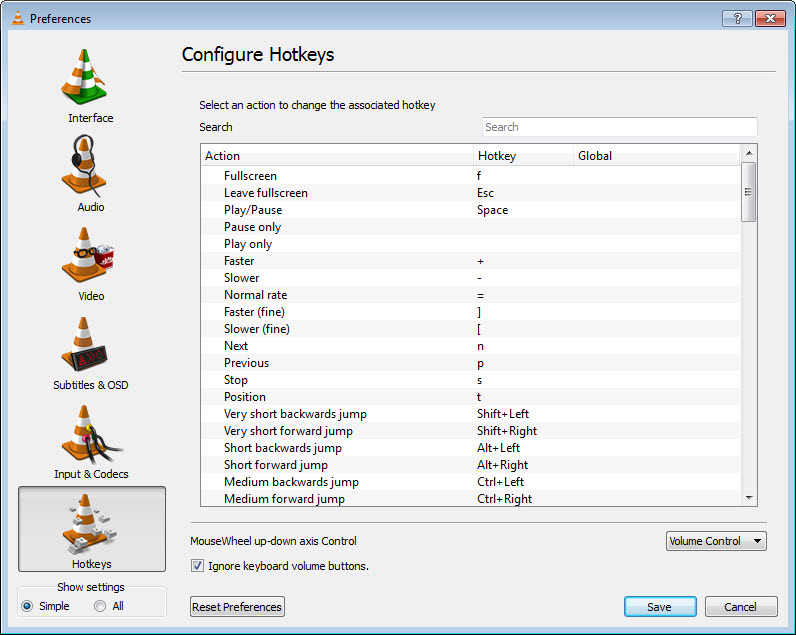
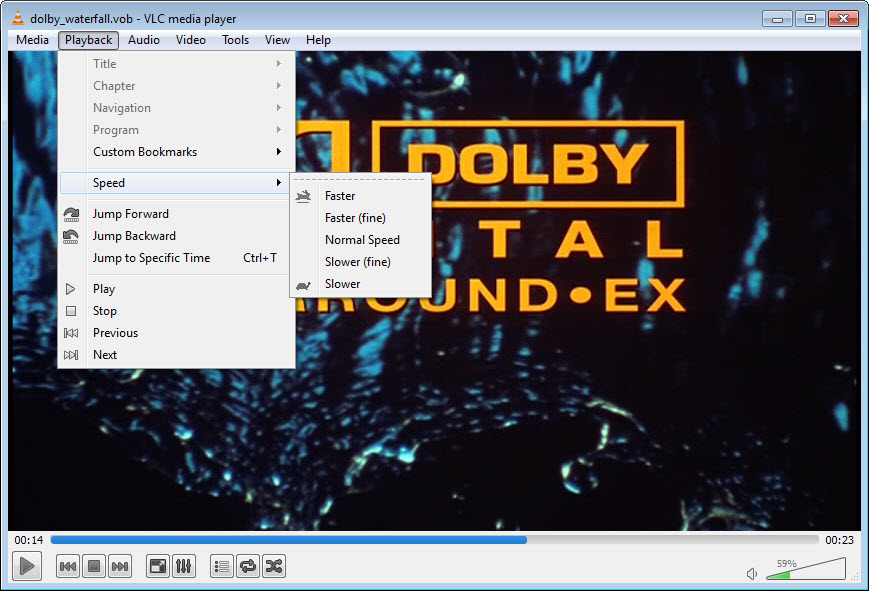
- Playback Controls: VLC Media Player offers various playback controls, such as pause, stop, and rewind, allowing users to customize their viewing experience. This feature provides users with more control over their media playback and makes it easier to navigate through their files.
- Subtitle Support: The player supports subtitles in various formats, including SRT, SUB, and ASS, making it easy to watch movies and videos with subtitles. This feature is particularly useful for users who prefer to watch media content with subtitles or need them for accessibility reasons.
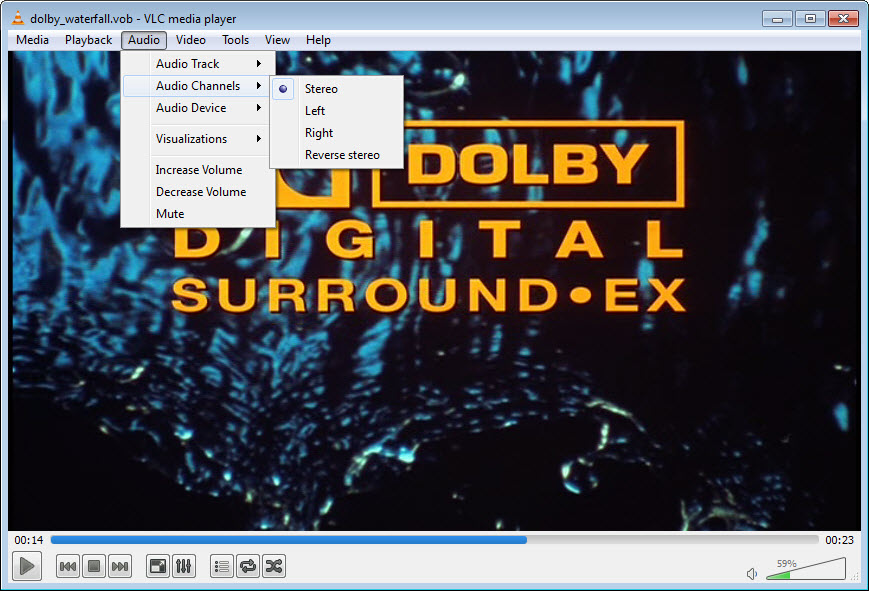
- Audio and Video Effects: VLC Media Player offers a range of audio and video effects, including equalization, compression, and distortion, allowing users to enhance their media playback experience. This feature provides users with more options to customize their audio and video settings and improve the overall quality of their media playback.
- Streaming Support: The player supports streaming media from various sources, including online radio stations and video platforms. This feature allows users to access a wide range of media content from the internet and play it directly within the player.
- Portable Version: VLC Media Player is available in a portable version, allowing users to take their media player with them on the go. This feature is particularly useful for users who need to play media files on different computers or devices.
- Extensions and Scripts: The player supports extensions and scripts, which can be used to enhance its functionality and add new features. This feature provides users with more options to customize their media playback experience and extend the player's capabilities.
- Multi-Language Support: VLC Media Player is available in multiple languages, making it accessible to users worldwide. This feature allows users to use the player in their native language and makes it more user-friendly.
- Free and Open-Source: The player is free and open-source, making it a cost-effective solution for media playback. This feature allows users to use the player without any costs or restrictions and contributes to its widespread adoption.
- Regular Updates: VLC Media Player receives regular updates, which ensure that the player stays secure and up-to-date with the latest media formats and technologies. This feature provides users with a stable and secure media playback experience and ensures that the player remains compatible with the latest operating systems and devices.
- Cross-Platform Compatibility: The player is available for various operating systems, including Windows, macOS, and Linux, making it a cross-platform solution for media playback. This feature allows users to play their media files on different devices and operating systems, making it a versatile and convenient solution.
Who Should Use VLC Media Player?
VLC Media Player is suitable for users of all levels, from beginners to professionals, who need a reliable and efficient media player. The player's simple and intuitive interface makes it easy to use, even for those who are new to media playback. Additionally, VLC Media Player's wide range of features and customization options make it a popular choice among advanced users who require more control over their media playback experience.
Specific use cases for VLC Media Player include playing media files on a computer or mobile device, streaming media from online sources, and watching movies or videos with subtitles. The player's versatility and flexibility make it an ideal solution for various scenarios, from casual media playback to professional video editing and production.
No specific skill level is required to use VLC Media Player, as the player is designed to be user-friendly and accessible. However, advanced users may need to familiarize themselves with the player's more complex features and settings to take full advantage of its capabilities.
VLC Media Player: Pros and Cons
Advantages:
- VLC Media Player is free and open-source, making it a cost-effective solution for media playback.
- The player supports a wide range of media formats, including MP3, MP4, AVI, and many more.
- VLC Media Player offers a simple and intuitive interface, making it easy to use for users of all levels.
- The player provides various playback controls, such as pause, stop, and rewind, allowing users to customize their viewing experience.
- VLC Media Player receives regular updates, ensuring that the player stays secure and up-to-date with the latest media formats and technologies.
- The player is available in multiple languages, making it accessible to users worldwide.
- VLC Media Player supports subtitles in various formats, including SRT, SUB, and ASS.
Disadvantages:
- VLC Media Player's interface may appear outdated compared to other modern media players.
- The player's customization options can be overwhelming for beginner users.
- VLC Media Player may not support certain proprietary media formats, such as DRM-protected files.
- The player's streaming support may not work with all online sources or platforms.
Is VLC Media Player Free?
VLC Media Player is completely free to download and use, with no costs or restrictions. The player is open-source, which means that its source code is available for anyone to modify and distribute. This makes VLC Media Player a cost-effective solution for media playback, as users do not need to purchase a license or subscription to use the player.
As a free and open-source media player, VLC Media Player does not offer any paid tiers or upgrades. However, users can donate to the VideoLAN project to support the development and maintenance of the player. Donations help to ensure that VLC Media Player remains a free and open-source solution for media playback, and that it continues to receive updates and improvements.
Frequently Asked Questions about VLC Media Player
Yes, VLC Media Player is safe to use, as it is a reputable and widely-used media player that is free from malware and viruses. The player's source code is also available for review, which ensures that it is transparent and secure.
VLC Media Player is a media player that allows users to play various audio and video formats, including MP3, MP4, AVI, and many more. It also provides various playback controls, such as pause, stop, and rewind, and supports subtitles in various formats.
Yes, VLC Media Player is completely free to download and use, with no costs or restrictions. The player is open-source, which means that its source code is available for anyone to modify and distribute.
To use VLC Media Player, simply download and install the player, then open it and select the media file you want to play. The player's interface is simple and intuitive, and it provides various playback controls and options to customize your viewing experience.
Both VLC Media Player and KMPlayer are popular media players, but they have different strengths and weaknesses. VLC Media Player is known for its wide range of format support, customization options, and cross-platform compatibility, while KMPlayer is known for its simplicity and ease of use. Ultimately, the choice between the two players depends on your specific needs and preferences.
VLC Media Player is a reliable and efficient media player that offers a wide range of features and customization options. With its free and open-source nature, it is a cost-effective solution for media playback that is accessible to users worldwide. Overall, VLC Media Player is a great choice for anyone looking for a versatile and user-friendly media player, and we highly recommend downloading it for your media playback needs.
Screenshots
Specifications
User Reviews
No reviews yet. Be the first to review!