
About PS3 Media Server
PS3 Media Server is a free media server software that allows users to stream their media files to various devices, including the PlayStation 3, Xbox 360, and other DLNA-compatible devices, making it a convenient solution for home entertainment. The primary use case for PS3 Media Server is to provide a simple way to share and play back media content across different devices on a network. By using PS3 Media Server, users can easily access and enjoy their favorite movies, music, and photos on their TV or other devices.
What is PS3 Media Server?
PS3 Media Server is a software application developed by ps3mediaserver that enables users to stream their media files to various devices on their network. It supports a wide range of file formats and can transcode files in real-time, making it compatible with a variety of devices. PS3 Media Server solves the problem of media file incompatibility and provides a user-friendly interface for managing and streaming media content.
The history of PS3 Media Server dates back to its initial release, and since then, it has gained a reputation as a reliable and efficient media server software. PS3 Media Server has undergone significant updates and improvements, with the current version being 1.90.1. The software is widely used by individuals who want to stream their media files to their TV or other devices without the need for complicated setup or configuration.
PS3 Media Server is designed to be easy to use, even for those who are not tech-savvy. It provides a simple and intuitive interface for managing media files and configuring settings. The software is also highly customizable, allowing users to personalize their media streaming experience. With PS3 Media Server, users can enjoy their favorite media content on their TV or other devices, without the need for expensive hardware or complicated setup.
Overall, PS3 Media Server is a powerful and user-friendly media server software that provides a convenient solution for home entertainment. It is compatible with a wide range of devices and supports various file formats, making it an ideal choice for individuals who want to stream their media files to their TV or other devices.
PS3 Media Server Key Features
- Media Streaming: PS3 Media Server allows users to stream their media files to various devices on their network, including the PlayStation 3, Xbox 360, and other DLNA-compatible devices. This feature provides a convenient way to access and play back media content on different devices.
- File Transcoding: The software can transcode files in real-time, making it compatible with a variety of devices and file formats. This feature ensures that users can play back their media files on different devices without any compatibility issues.
- User-Friendly Interface: PS3 Media Server provides a simple and intuitive interface for managing media files and configuring settings. This feature makes it easy for users to navigate and use the software, even for those who are not tech-savvy.
- Customization Options: The software is highly customizable, allowing users to personalize their media streaming experience. This feature provides users with the flexibility to configure the software to meet their specific needs and preferences.
- Support for Various File Formats: PS3 Media Server supports a wide range of file formats, including video, audio, and image files. This feature ensures that users can play back their media files on different devices without any compatibility issues.
- DLNA Compatibility: The software is compatible with DLNA devices, making it easy to stream media files to devices such as TVs, Blu-ray players, and gaming consoles. This feature provides a convenient way to access and play back media content on different devices.
- Real-Time Transcoding: PS3 Media Server can transcode files in real-time, ensuring that users can play back their media files on different devices without any delay or buffering. This feature provides a smooth and seamless media streaming experience.
- Multi-Device Support: The software supports multiple devices, allowing users to stream media files to different devices on their network. This feature provides a convenient way to access and play back media content on different devices.
- Easy Setup and Configuration: PS3 Media Server is easy to set up and configure, even for those who are not tech-savvy. This feature makes it easy for users to get started with the software and begin streaming their media files.
- Regular Updates and Improvements: The software is regularly updated and improved, ensuring that users have access to the latest features and bug fixes. This feature provides users with a reliable and efficient media server software.
- Free and Open-Source: PS3 Media Server is free and open-source, making it an affordable and accessible solution for home entertainment. This feature provides users with a cost-effective way to stream their media files to different devices.
Who Should Use PS3 Media Server?
PS3 Media Server is ideal for individuals who want to stream their media files to their TV or other devices without the need for complicated setup or configuration. The software is suitable for beginners and professionals alike, as it provides a simple and intuitive interface for managing media files and configuring settings. PS3 Media Server is also a great solution for businesses that want to provide a convenient way for employees to access and play back media content on different devices.
The target users for PS3 Media Server include home users, businesses, and organizations that want to stream their media files to different devices on their network. The software is also suitable for individuals who want to stream their media files to their gaming console, such as the PlayStation 3 or Xbox 360. Overall, PS3 Media Server is a versatile media server software that can be used by anyone who wants to stream their media files to different devices.
In terms of skill level, PS3 Media Server is easy to use, even for those who are not tech-savvy. The software provides a simple and intuitive interface for managing media files and configuring settings, making it easy for users to get started with the software and begin streaming their media files. However, some technical knowledge may be required for advanced configuration and customization options.
PS3 Media Server: Pros and Cons
Advantages:
- Easy to use and set up, even for beginners
- Supports a wide range of file formats and devices
- Provides real-time transcoding for smooth media streaming
- Highly customizable and configurable
- Free and open-source, making it an affordable solution
- Regularly updated and improved with new features and bug fixes
- Compatible with DLNA devices, making it easy to stream media files to different devices
Disadvantages:
- May require some technical knowledge for advanced configuration and customization options
- Can be resource-intensive, depending on the number of devices and file formats being used
- May not be compatible with all devices or file formats, although it supports a wide range of them
- Can be affected by network bandwidth and quality, which can impact media streaming performance
Is PS3 Media Server Free?
Yes, PS3 Media Server is free and open-source, making it an affordable and accessible solution for home entertainment. The software is available for download at no cost, and users can use it to stream their media files to different devices on their network without any limitations or restrictions. PS3 Media Server does not have any paid tiers or subscriptions, and it is fully functional and feature-rich, even in its free version.
As a free and open-source software, PS3 Media Server is maintained and updated by a community of developers and users, who contribute to its development and improvement. This ensures that the software remains up-to-date and secure, and that users have access to the latest features and bug fixes.
Frequently Asked Questions about PS3 Media Server
Yes, PS3 Media Server is safe to use, as it is a free and open-source software that is regularly updated and improved by a community of developers and users. The software does not contain any malware or viruses, and it is designed to provide a secure and reliable media streaming experience.
PS3 Media Server is a media server software that allows users to stream their media files to various devices on their network, including the PlayStation 3, Xbox 360, and other DLNA-compatible devices. It provides a convenient way to access and play back media content on different devices, without the need for complicated setup or configuration.
Yes, PS3 Media Server is free and open-source, making it an affordable and accessible solution for home entertainment. The software is available for download at no cost, and users can use it to stream their media files to different devices on their network without any limitations or restrictions.
Using PS3 Media Server is easy, as it provides a simple and intuitive interface for managing media files and configuring settings. Users can simply download and install the software, add their media files to the library, and configure the settings to stream their media files to different devices on their network.
PS3 Media Server and Universal Media Server are both media server software applications that allow users to stream their media files to different devices on their network. However, PS3 Media Server is more focused on providing a simple and intuitive interface for managing media files and configuring settings, while Universal Media Server provides more advanced features and customization options.
Overall, PS3 Media Server is a powerful and user-friendly media server software that provides a convenient solution for home entertainment. With its easy-to-use interface, wide range of file format support, and real-time transcoding, PS3 Media Server is an ideal choice for individuals who want to stream their media files to different devices on their network. We highly recommend downloading PS3 Media Server to experience the benefits of media streaming for yourself.
Screenshots
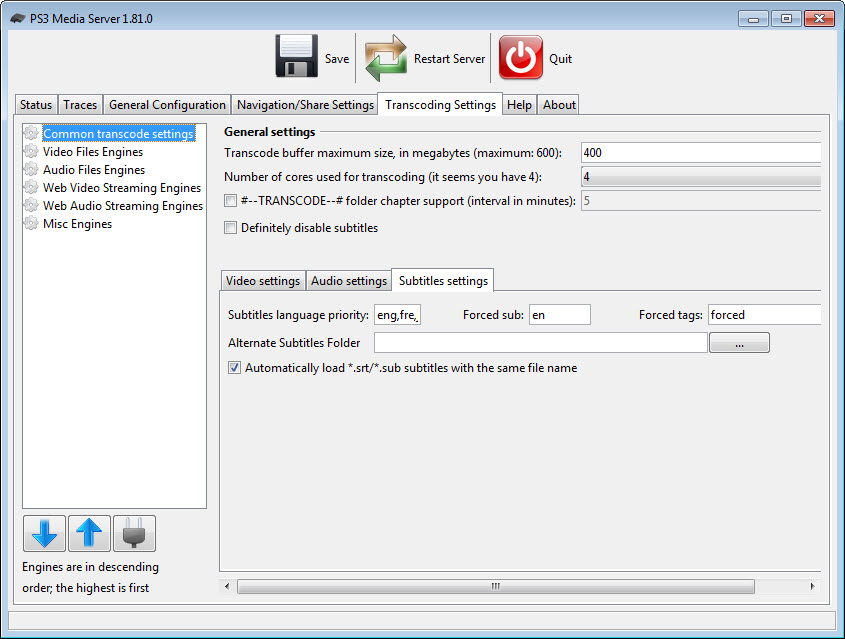
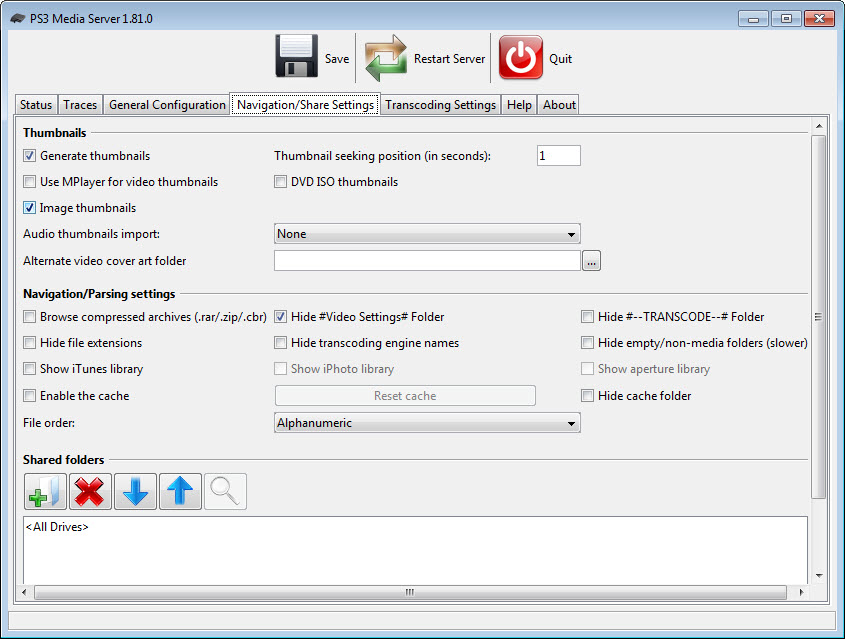
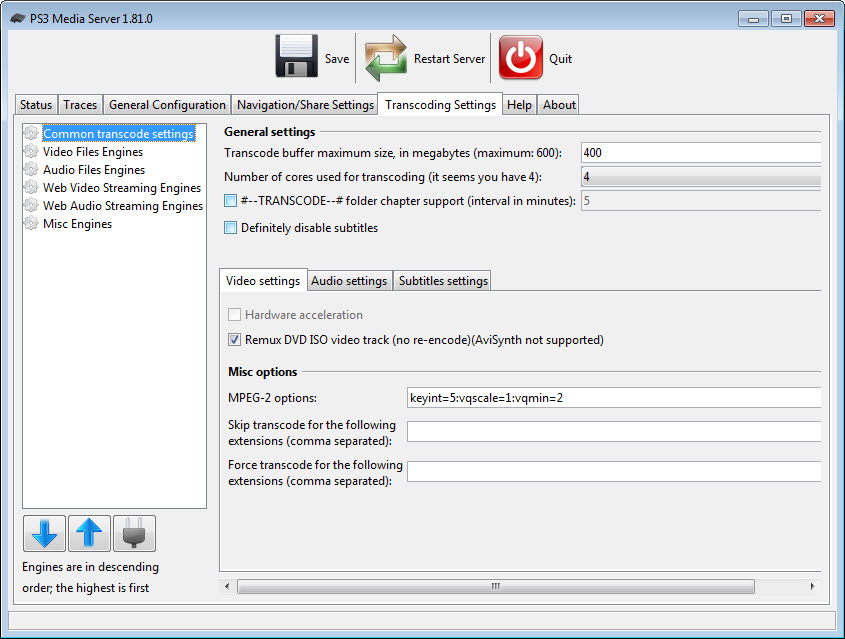
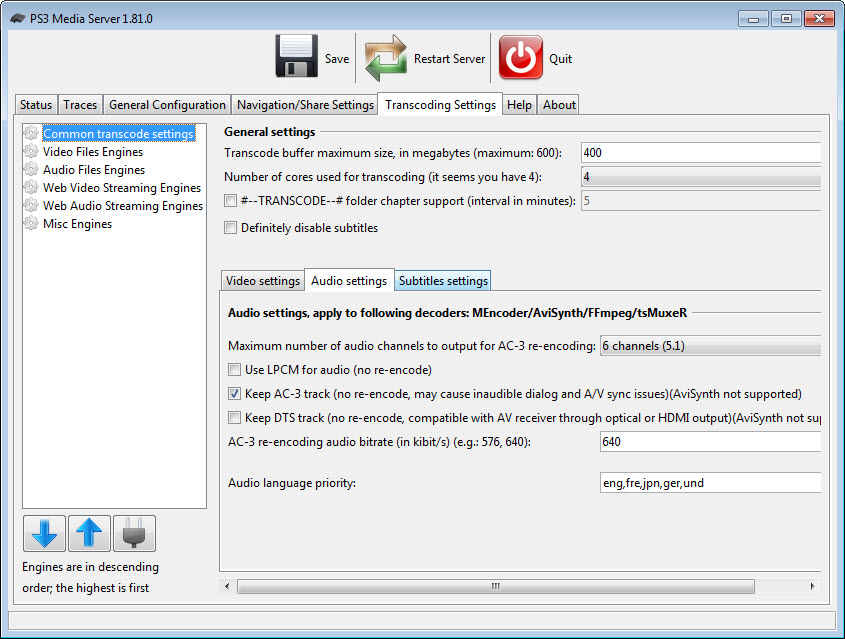
Specifications
User Reviews
No reviews yet. Be the first to review!