
About SpywareBlaster
SpywareBlaster is a powerful antispyware tool that helps protect your computer from spyware, adware, and other malicious software. Its primary use case is to prevent the installation of unwanted programs, providing a top benefit of enhanced online security and threat protection. By using SpywareBlaster, you can safeguard your personal data and browsing habits from potential threats.
What is SpywareBlaster?
SpywareBlaster is a free antispyware software developed by BrightFort, a reputable company in the cybersecurity industry. It is designed to detect and prevent spyware, adware, and other types of malware from infecting your computer. SpywareBlaster has a long history of providing effective protection against online threats, making it a trusted choice among users.
SpywareBlaster works by blocking the installation of unwanted programs, thereby preventing them from collecting your personal data or disrupting your browsing experience. This is achieved through its advanced threat protection algorithms and real-time scanning capabilities. As a result, SpywareBlaster has become a popular choice among users seeking to enhance their online security.
With its robust features and user-friendly interface, SpywareBlaster has established itself as a leading antispyware solution. Its ability to provide comprehensive protection against various types of malware has earned it a reputation as a reliable and effective tool. Whether you are a beginner or an experienced user, SpywareBlaster is an excellent choice for safeguarding your computer against online threats.
Overall, SpywareBlaster is a powerful antispyware tool that offers a range of benefits, including enhanced online security, threat protection, and malware prevention. Its ease of use and effectiveness make it an ideal choice for users seeking to protect their computers from spyware and other malicious software.
SpywareBlaster Key Features
- Real-Time Scanning: SpywareBlaster's real-time scanning feature allows it to detect and block malicious software in real-time, providing an additional layer of protection against online threats. This feature is particularly useful for users who frequently download files or visit unfamiliar websites.
- Threat Protection: SpywareBlaster's threat protection feature helps to prevent the installation of unwanted programs, thereby safeguarding your personal data and browsing habits. This feature is essential for users who want to ensure their online security and privacy.
- Malware Prevention: SpywareBlaster's malware prevention feature helps to prevent the spread of malware on your computer, reducing the risk of infection and data loss. This feature is particularly useful for users who use their computers for sensitive tasks, such as online banking or email.
- Adware Blocking: SpywareBlaster's adware blocking feature helps to prevent the installation of adware, which can slow down your computer and compromise your online security. This feature is essential for users who want to ensure their browsing experience is fast and secure.
- Spyware Detection: SpywareBlaster's spyware detection feature helps to identify and remove spyware from your computer, providing an additional layer of protection against online threats. This feature is particularly useful for users who want to ensure their personal data is protected.
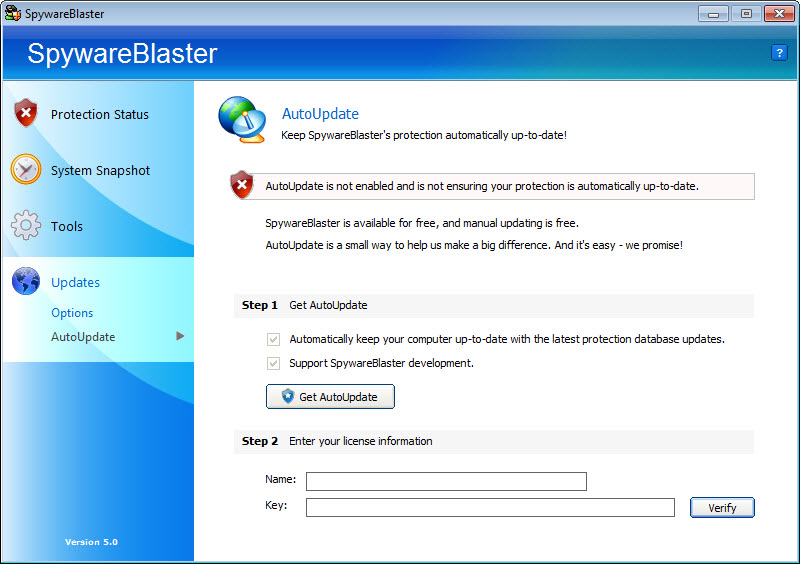
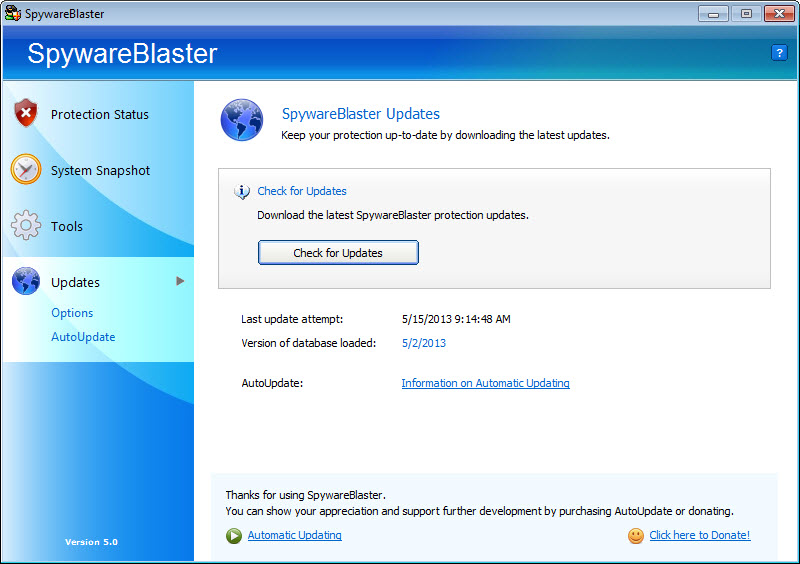
- Automatic Updates: SpywareBlaster's automatic updates feature ensures that your software is always up-to-date, providing the latest protection against emerging threats. This feature is essential for users who want to ensure their online security is always current.
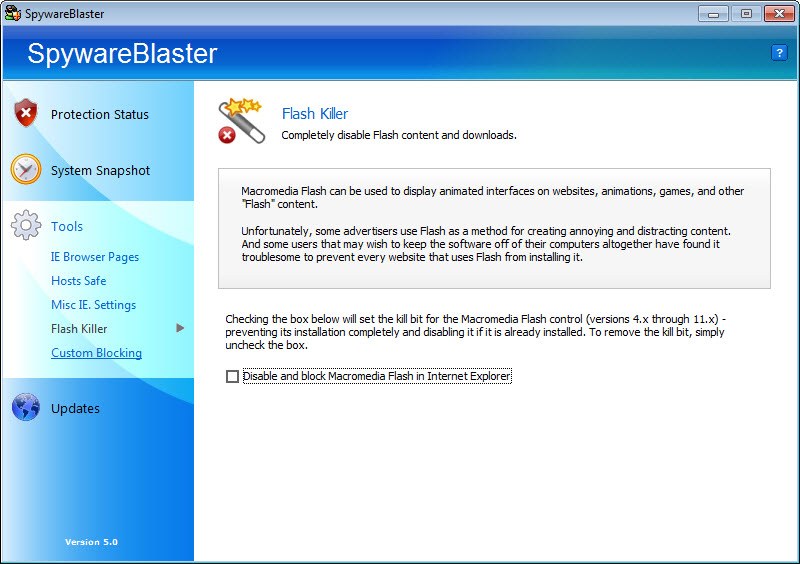
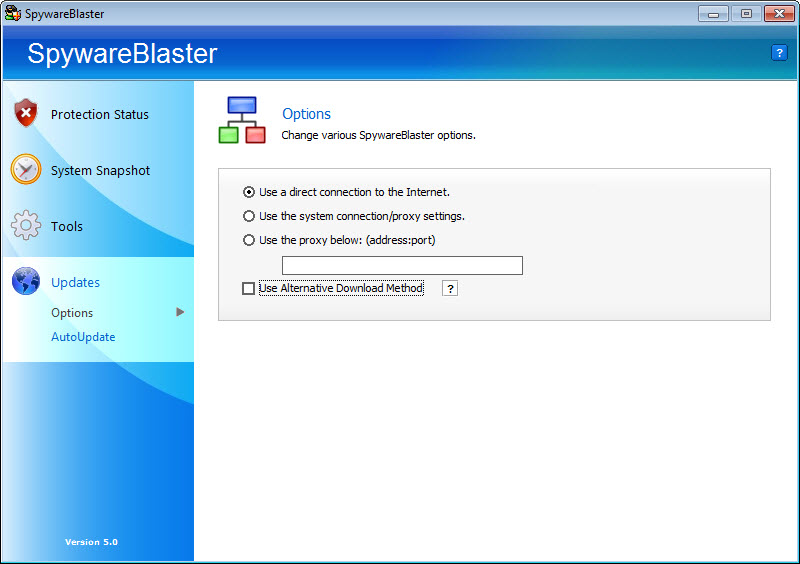
- Customizable Settings: SpywareBlaster's customizable settings feature allows you to tailor the software to your specific needs, providing a high degree of flexibility and control. This feature is particularly useful for advanced users who want to fine-tune their online security settings.
- User-Friendly Interface: SpywareBlaster's user-friendly interface makes it easy to use and navigate, even for beginners. This feature is essential for users who want to ensure their online security is easy to manage.
- Compatibility: SpywareBlaster is compatible with a range of operating systems, including Windows, making it a versatile choice for users. This feature is particularly useful for users who use multiple devices or operating systems.
- Free Version Available: SpywareBlaster offers a free version, making it an accessible choice for users who want to try out the software before committing to a purchase. This feature is essential for users who want to ensure they are getting the right software for their needs.
- Customer Support: SpywareBlaster's customer support feature provides users with access to online resources and support teams, helping to resolve any issues or concerns. This feature is particularly useful for users who want to ensure they have help when they need it.
Who Should Use SpywareBlaster?
SpywareBlaster is suitable for a range of users, including beginners, professionals, and businesses. Its user-friendly interface and customizable settings make it an ideal choice for users who want to enhance their online security without requiring extensive technical expertise. Whether you use your computer for personal or professional purposes, SpywareBlaster is an excellent choice for safeguarding your online security.
Specific use cases for SpywareBlaster include protecting against spyware, adware, and other types of malware. It is also useful for users who want to prevent the installation of unwanted programs, ensuring their browsing experience is fast and secure. Additionally, SpywareBlaster is suitable for users who want to ensure their personal data is protected, making it an excellent choice for users who engage in online banking, email, or other sensitive activities.
Overall, SpywareBlaster is a versatile antispyware solution that can be used by anyone who wants to enhance their online security. Its ease of use, effectiveness, and range of features make it an ideal choice for users of all skill levels, from beginners to advanced users.
SpywareBlaster: Pros and Cons
Advantages:
- SpywareBlaster provides comprehensive protection against spyware, adware, and other types of malware.
- It is easy to use and navigate, even for beginners.
- SpywareBlaster offers customizable settings, allowing users to tailor the software to their specific needs.
- It provides real-time scanning and threat protection, ensuring your computer is always protected.
- SpywareBlaster is compatible with a range of operating systems, making it a versatile choice for users.
- It offers a free version, making it an accessible choice for users who want to try out the software.
Disadvantages:
- SpywareBlaster may not provide the same level of protection as more comprehensive antivirus software.
- Some users may find the software's interface to be slightly outdated.
- SpywareBlaster may require occasional manual updates, although automatic updates are available.
Is SpywareBlaster Free?
SpywareBlaster offers a free version, making it an accessible choice for users who want to try out the software. The free version provides comprehensive protection against spyware, adware, and other types of malware, although some features may be limited compared to the paid version. However, the free version is still an excellent choice for users who want to enhance their online security without committing to a purchase.
It's worth noting that SpywareBlaster's free version is not a trial version, but rather a fully functional version with some limitations. This means that users can continue to use the software for as long as they want, without having to pay a fee. However, users who want to access additional features or support may need to upgrade to the paid version.
Frequently Asked Questions about SpywareBlaster
Yes, SpywareBlaster is safe to use, as it is developed by a reputable company and has a long history of providing effective protection against online threats. Additionally, the software is regularly updated to ensure it remains effective against emerging threats.
SpywareBlaster is an antispyware software that helps protect your computer from spyware, adware, and other malicious software. It provides real-time scanning and threat protection, helping to prevent the installation of unwanted programs and safeguard your personal data.
Yes, SpywareBlaster offers a free version, making it an accessible choice for users who want to try out the software. The free version provides comprehensive protection against spyware, adware, and other types of malware, although some features may be limited compared to the paid version.
Using SpywareBlaster is easy, as the software provides a user-friendly interface and customizable settings. Simply download and install the software, then follow the prompts to configure the settings to your liking. The software will then provide real-time scanning and threat protection, helping to safeguard your online security.
Both SpywareBlaster and Malwarebytes are effective antispyware solutions, but they have some key differences. SpywareBlaster provides comprehensive protection against spyware, adware, and other types of malware, while Malwarebytes is more focused on removing existing malware infections. Ultimately, the choice between the two will depend on your specific needs and preferences.
SpywareBlaster is a powerful antispyware tool that provides comprehensive protection against online threats. With its real-time scanning, threat protection, and customizable settings, it is an excellent choice for users who want to enhance their online security. Whether you are a beginner or an experienced user, SpywareBlaster is worth downloading, as it provides a range of benefits and features that can help safeguard your computer against spyware, adware, and other malicious software. We highly recommend SpywareBlaster to anyone looking to improve their online security and protect their personal data.
Screenshots
Specifications
User Reviews
No reviews yet. Be the first to review!