
About WinPatrol
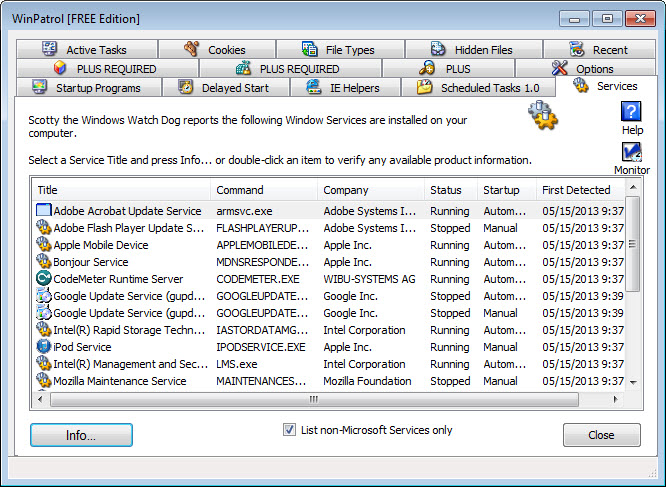
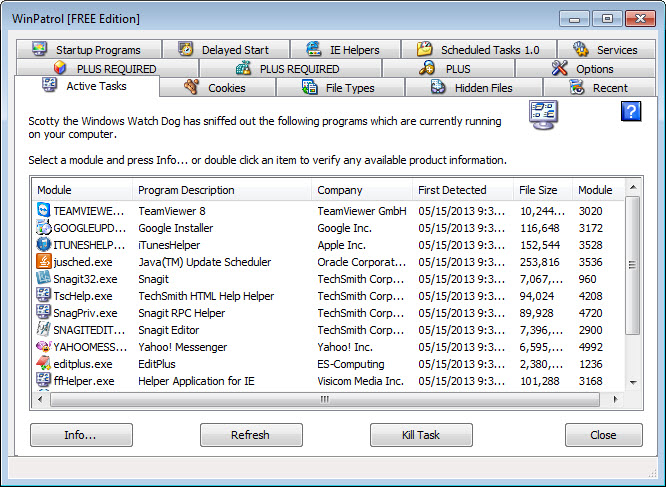
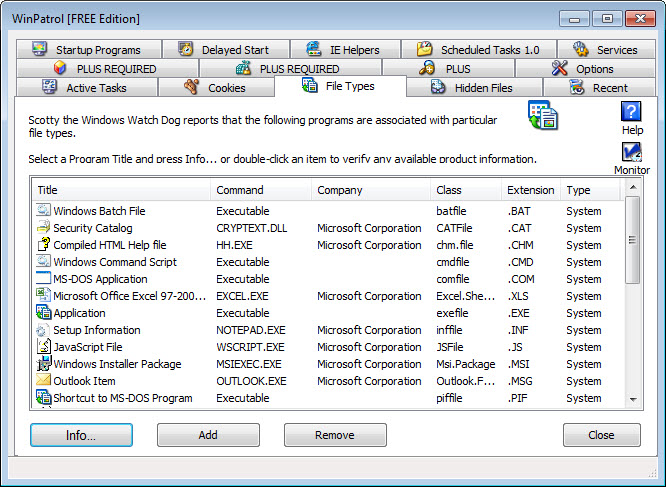
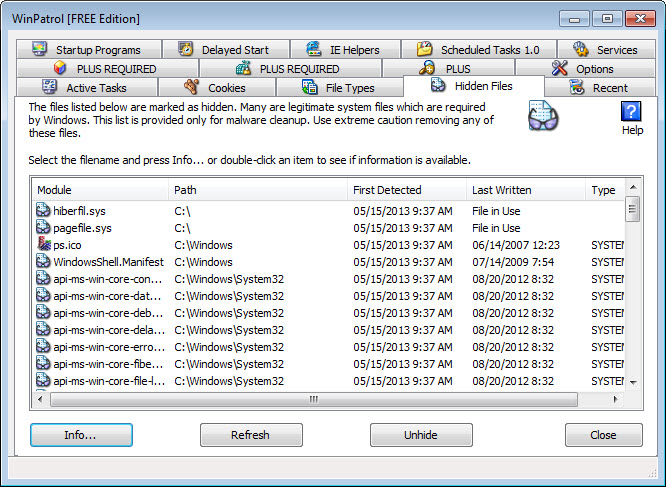
WinPatrol is an antispyware software that helps protect your computer from malicious threats, providing real-time monitoring and threat protection. Its primary use case is to detect and remove spyware, malware, and other potentially unwanted programs, offering a top benefit of enhanced system security. By using WinPatrol, users can enjoy a safer browsing experience and prevent potential data breaches.
What is WinPatrol?
WinPatrol is a free antispyware software developed by BillP Studios, designed to scan and remove malicious programs from your computer. It solves the problem of protecting your system from various online threats, including spyware, adware, and other types of malware. With its robust features and user-friendly interface, WinPatrol has established a reputation as a reliable and efficient antispyware solution.
WinPatrol has been around for many years, with its first version released in 1997, and since then, it has undergone numerous updates and improvements to stay up-to-date with the latest threats. The software's developer, BillP Studios, is committed to providing a high-quality product that meets the evolving needs of its users. WinPatrol's history and reputation are a testament to its effectiveness in protecting computers from malicious software.
WinPatrol's primary function is to monitor your system for any suspicious activity, alerting you to potential threats and allowing you to take action to remove them. This proactive approach to threat protection helps prevent malware from causing harm to your system, making it an essential tool for anyone concerned about their online security. WinPatrol is a valuable addition to any computer security setup, providing an extra layer of protection against online threats.
Overall, WinPatrol is a powerful antispyware software that provides comprehensive protection against a wide range of threats. Its ability to detect and remove malicious programs makes it an indispensable tool for anyone looking to safeguard their computer and personal data.
WinPatrol Key Features
- Real-time Monitoring: WinPatrol provides real-time monitoring of your system, alerting you to any suspicious activity and allowing you to take action to remove potential threats. This feature is essential for preventing malware from causing harm to your system.
- Malware Detection: The software includes a robust malware detection engine that can identify and remove a wide range of malicious programs, including spyware, adware, and other types of malware. This feature helps protect your system from various online threats.
- System Monitoring: WinPatrol monitors your system for any changes, alerting you to any suspicious activity and allowing you to take action to prevent potential threats. This feature provides an additional layer of protection against online threats.
- Alert System: The software includes a customizable alert system that notifies you of any potential threats, allowing you to take action to remove them. This feature helps prevent malware from causing harm to your system.
- Automatic Updates: WinPatrol includes automatic updates, ensuring that your system is always protected against the latest threats. This feature helps keep your system secure and up-to-date.
- User-Friendly Interface: The software features a user-friendly interface that makes it easy to navigate and use, even for those with limited technical expertise. This feature makes it accessible to a wide range of users.
- Customizable Settings: WinPatrol allows you to customize its settings to suit your specific needs, providing a high degree of flexibility and control. This feature helps users tailor the software to their individual requirements.
- Threat Protection: The software provides comprehensive threat protection, including protection against spyware, adware, and other types of malware. This feature helps safeguard your system and personal data.
- Scanning Options: WinPatrol includes various scanning options, allowing you to scan your system for malware and other potential threats. This feature helps identify and remove malicious programs.
- Removal Tools: The software includes removal tools that allow you to remove detected threats, helping to keep your system secure and free from malware. This feature provides a convenient way to eliminate potential threats.
- Support Options: WinPatrol offers various support options, including online support and documentation, to help you get the most out of the software. This feature provides assistance and guidance to users.
- Compatibility: The software is compatible with a wide range of operating systems, including Windows, making it a versatile and convenient option. This feature allows users to run the software on different platforms.
Who Should Use WinPatrol?
WinPatrol is suitable for anyone looking to protect their computer from malicious software, including home users, businesses, and professionals. Its user-friendly interface and customizable settings make it accessible to a wide range of users, regardless of their technical expertise. Whether you're a beginner or an experienced user, WinPatrol provides a reliable and effective way to safeguard your system and personal data.
The software is particularly useful for those who engage in high-risk activities online, such as downloading files from unknown sources or visiting suspicious websites. WinPatrol's real-time monitoring and threat protection features help prevent malware from causing harm to your system, making it an essential tool for anyone concerned about their online security.
Businesses can also benefit from using WinPatrol, as it provides a cost-effective and efficient way to protect their systems and data from malicious software. The software's ability to detect and remove malware helps prevent data breaches and other security threats, making it a valuable addition to any business's security setup.
WinPatrol: Pros and Cons
Advantages:
- Effective malware detection and removal
- Real-time monitoring and threat protection
- Customizable settings and user-friendly interface
- Automatic updates and comprehensive support options
- Free to use, with no hidden costs or subscriptions
- Compatible with a wide range of operating systems
- Regularly updated to stay ahead of the latest threats
Disadvantages:
- May not detect all types of malware
- Can be resource-intensive, potentially slowing down system performance
- May require manual configuration for optimal performance
- Not as well-known as some other antispyware software options
Is WinPatrol Free?
Yes, WinPatrol is completely free to use, with no hidden costs or subscriptions. The software is available for download from the official website, and users can enjoy all its features and benefits without having to pay a fee. This makes it an attractive option for those looking for a cost-effective and efficient way to protect their systems and data from malicious software.
While WinPatrol is free, it's worth noting that the software is supported by donations and voluntary contributions. Users who find the software useful and want to support its development can choose to make a donation, but this is entirely optional.
Frequently Asked Questions about WinPatrol
Yes, WinPatrol is safe to use, as it is designed to protect your system from malicious software and does not contain any malware or other threats. The software is regularly updated and tested to ensure its safety and effectiveness.
WinPatrol is an antispyware software that detects and removes malicious programs from your computer, providing real-time monitoring and threat protection. It helps prevent malware from causing harm to your system and safeguards your personal data.
Yes, WinPatrol is completely free to use, with no hidden costs or subscriptions. The software is available for download from the official website, and users can enjoy all its features and benefits without having to pay a fee.
Using WinPatrol is straightforward: simply download and install the software, then follow the prompts to configure its settings and start scanning your system for malware. The software's user-friendly interface makes it easy to navigate and use, even for those with limited technical expertise.
Both WinPatrol and Malwarebytes are effective antispyware software options, but they have some differences. WinPatrol is free and provides real-time monitoring and threat protection, while Malwarebytes offers a more comprehensive range of features and tools, but requires a subscription for full functionality. The choice between the two ultimately depends on your specific needs and preferences.
Overall, WinPatrol is a reliable and effective antispyware software that provides comprehensive protection against a wide range of threats. With its user-friendly interface, customizable settings, and real-time monitoring features, it's an excellent choice for anyone looking to safeguard their system and personal data. We highly recommend downloading WinPatrol to enhance your computer's security and enjoy a safer browsing experience.
Screenshots
Specifications
User Reviews
No reviews yet. Be the first to review!