
About Format Factory
Format Factory is a versatile multimedia conversion tool that allows users to convert various file formats, including videos, audios, and images, making it an essential software for anyone looking to manage their media library efficiently. The primary use case of Format Factory is to provide a one-stop solution for all media conversion needs, and its top benefit is the ability to support a wide range of file formats. By using Format Factory, users can easily convert their files to desired formats, ensuring compatibility with various devices and platforms.
What is Format Factory?
Format Factory is a free software developed by Free Time, designed to help users convert their media files into various formats. It solves the problem of incompatibility between different devices and platforms, allowing users to enjoy their favorite media content without any hassle. With its reputation for being a reliable and efficient conversion tool, Format Factory has gained popularity among media enthusiasts and professionals alike.
Format Factory has a long history of providing high-quality conversion services, and its latest version, 5.21.0.0, offers even more features and improvements. The software's ability to support a wide range of file formats, including MP4, AVI, MPG, and many more, makes it a versatile tool for any media conversion needs. Whether you're a beginner or a professional, Format Factory is an excellent choice for anyone looking to manage their media library efficiently.
Format Factory's user-friendly interface and straightforward conversion process make it easy for anyone to use, regardless of their technical expertise. The software's ability to convert multiple files at once, as well as its support for batch conversions, saves time and effort, making it an essential tool for anyone who works with media files regularly. Overall, Format Factory is a reliable and efficient media conversion tool that is worth considering for anyone looking to manage their media library.
Format Factory's compatibility with various operating systems, including Windows, makes it a versatile tool for anyone looking to convert their media files. The software's small size and minimal system requirements also make it an excellent choice for those with limited computer resources. With its free license and regular updates, Format Factory is an excellent choice for anyone looking for a reliable and efficient media conversion tool.
Format Factory Key Features
- Media Conversion: Format Factory allows users to convert their media files into various formats, including videos, audios, and images, making it an essential tool for anyone looking to manage their media library. The software supports a wide range of file formats, including MP4, AVI, MPG, and many more.
- Batch Conversions: Format Factory enables users to convert multiple files at once, saving time and effort, and making it an excellent choice for anyone who works with media files regularly. The software's batch conversion feature also supports multiple file formats, making it easy to convert large numbers of files.
- User-Friendly Interface: Format Factory's user-friendly interface makes it easy for anyone to use, regardless of their technical expertise. The software's straightforward conversion process and minimal system requirements also make it an excellent choice for those with limited computer resources.
- Free License: Format Factory is free to use, making it an excellent choice for anyone looking for a reliable and efficient media conversion tool without breaking the bank. The software's free license also includes regular updates, ensuring that users have access to the latest features and improvements.
- Support for Various File Formats: Format Factory supports a wide range of file formats, including MP4, AVI, MPG, and many more, making it a versatile tool for any media conversion needs. The software's ability to support multiple file formats also makes it easy to convert files for use on different devices and platforms.
- Conversion Speed: Format Factory's conversion speed is fast and efficient, making it an excellent choice for anyone looking to convert large numbers of files quickly. The software's conversion speed also makes it easy to convert files in real-time, making it an excellent choice for live conversions.
- Quality Settings: Format Factory allows users to adjust the quality settings of their converted files, making it easy to balance file size and quality. The software's quality settings also make it easy to customize the conversion process to meet specific needs and requirements.
- Support for Multiple Languages: Format Factory supports multiple languages, making it an excellent choice for users from around the world. The software's language support also makes it easy to use for those who may not be fluent in English.
- Regular Updates: Format Factory receives regular updates, ensuring that users have access to the latest features and improvements. The software's updates also include bug fixes and performance enhancements, making it an excellent choice for anyone looking for a reliable and efficient media conversion tool.
- Small Size: Format Factory is a small software, making it easy to download and install, even on devices with limited storage space. The software's small size also makes it easy to use on devices with limited system resources.
- Minimal System Requirements: Format Factory has minimal system requirements, making it an excellent choice for devices with limited system resources. The software's minimal system requirements also make it easy to use on older devices or devices with limited hardware capabilities.
Who Should Use Format Factory?
Format Factory is an excellent choice for anyone looking to manage their media library efficiently, including beginners, professionals, and businesses. The software's user-friendly interface and straightforward conversion process make it easy for anyone to use, regardless of their technical expertise. Whether you're looking to convert videos, audios, or images, Format Factory is an excellent choice for anyone who works with media files regularly.
Format Factory is particularly useful for professionals who work with media files, such as video editors, graphic designers, and audio engineers. The software's ability to support a wide range of file formats and its batch conversion feature make it an essential tool for anyone who needs to convert large numbers of files quickly and efficiently. Additionally, Format Factory's free license and regular updates make it an excellent choice for businesses looking to manage their media library without breaking the bank.
Beginners can also benefit from using Format Factory, as the software's user-friendly interface and minimal system requirements make it easy to use, even for those with limited technical expertise. The software's support for multiple languages also makes it an excellent choice for users from around the world, making it easy for anyone to use, regardless of their language proficiency.
Format Factory: Pros and Cons
Advantages:
- Free to use, making it an excellent choice for anyone looking for a reliable and efficient media conversion tool without breaking the bank.
- Supports a wide range of file formats, making it a versatile tool for any media conversion needs.
- Batch conversion feature, making it easy to convert large numbers of files quickly and efficiently.
- User-friendly interface, making it easy for anyone to use, regardless of their technical expertise.
- Regular updates, ensuring that users have access to the latest features and improvements.
- Minimal system requirements, making it an excellent choice for devices with limited system resources.
- Small size, making it easy to download and install, even on devices with limited storage space.
Disadvantages:
- Limited advanced features, making it less suitable for professionals who require more complex conversion options.
- Some users may experience compatibility issues with certain file formats or devices.
- The software's free license may include occasional ads or promotions, which can be distracting for some users.
- Some users may find the software's interface to be less intuitive than other media conversion tools.
Is Format Factory Free?
Yes, Format Factory is completely free to use, with no hidden costs or subscriptions. The software's free license makes it an excellent choice for anyone looking for a reliable and efficient media conversion tool without breaking the bank. Format Factory's free license also includes regular updates, ensuring that users have access to the latest features and improvements.
Format Factory's free license is a significant advantage, as it makes the software accessible to anyone, regardless of their budget or financial situation. The software's free license also makes it an excellent choice for businesses looking to manage their media library without incurring significant costs. Overall, Format Factory's free license is a major benefit, making it an excellent choice for anyone looking for a reliable and efficient media conversion tool.
Frequently Asked Questions about Format Factory
Yes, Format Factory is safe to use, as it is a reputable software that has been tested and reviewed by numerous users and experts. The software's free license and regular updates also ensure that it is free from malware and other security threats.
Format Factory is a media conversion tool that allows users to convert their media files into various formats, including videos, audios, and images. The software supports a wide range of file formats and has a batch conversion feature, making it an essential tool for anyone who works with media files regularly.
Yes, Format Factory is completely free to use, with no hidden costs or subscriptions. The software's free license makes it an excellent choice for anyone looking for a reliable and efficient media conversion tool without breaking the bank.
Using Format Factory is easy, as the software has a user-friendly interface and a straightforward conversion process. Simply select the file you want to convert, choose the desired output format, and click the "Convert" button to start the conversion process.
Format Factory and Adobe Media Encoder are both media conversion tools, but they have different features and pricing models. Format Factory is free to use, while Adobe Media Encoder is a paid software that requires a subscription to Adobe Creative Cloud. Format Factory is also more user-friendly and has a simpler interface, making it an excellent choice for beginners and casual users.
Overall, Format Factory is an excellent choice for anyone looking for a reliable and efficient media conversion tool. With its free license, user-friendly interface, and batch conversion feature, Format Factory makes it easy to convert media files into various formats, making it an essential tool for anyone who works with media files regularly. We highly recommend downloading Format Factory for all your media conversion needs, as it is a versatile and efficient tool that is sure to meet your requirements.
Screenshots
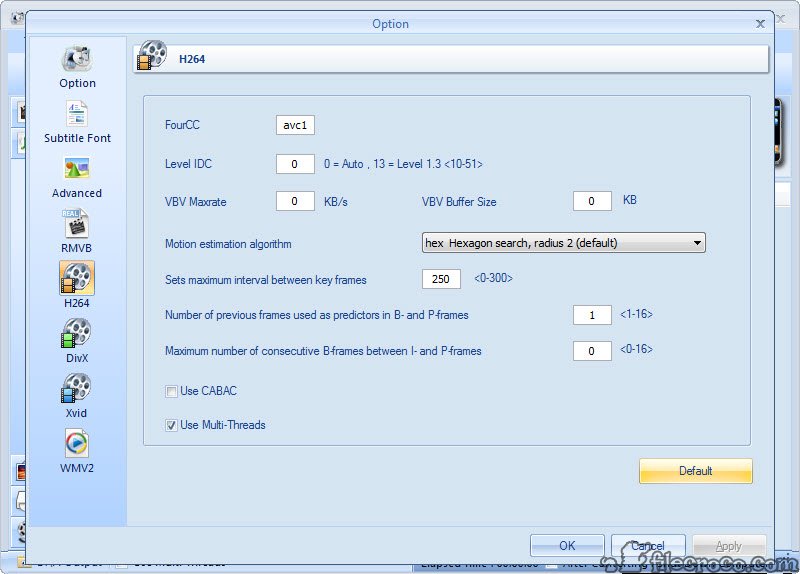
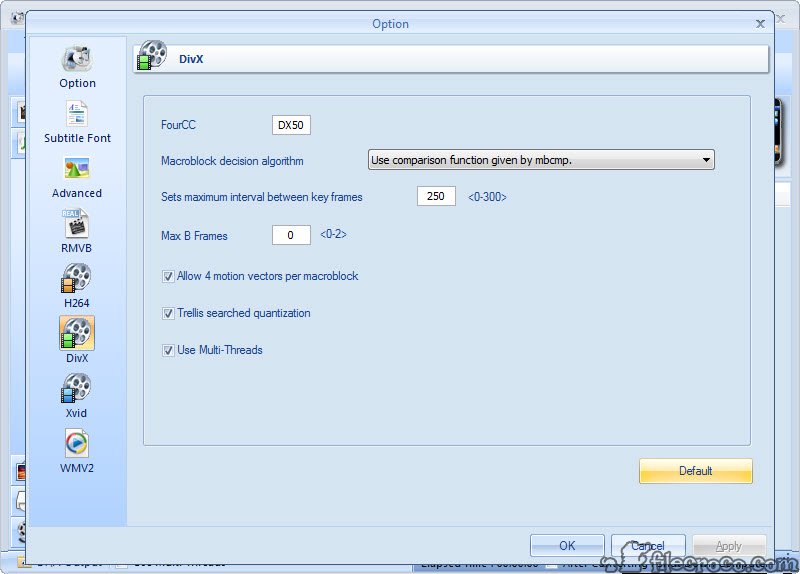
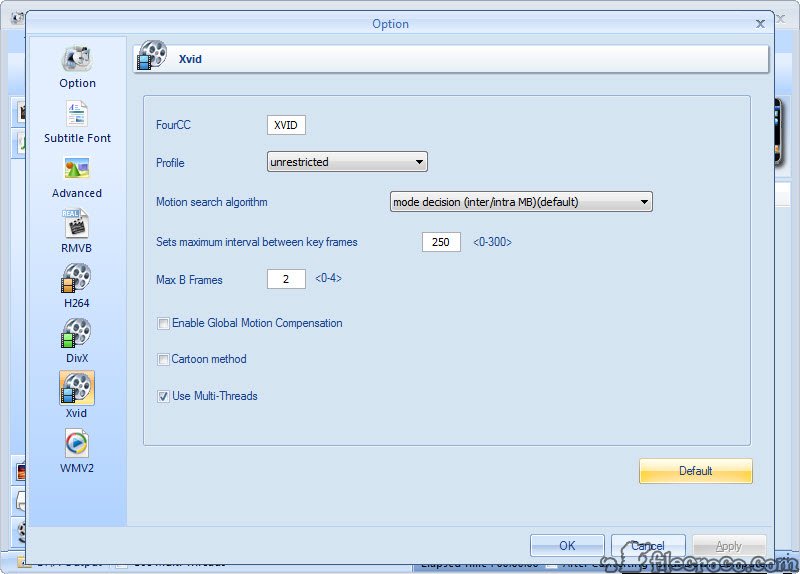
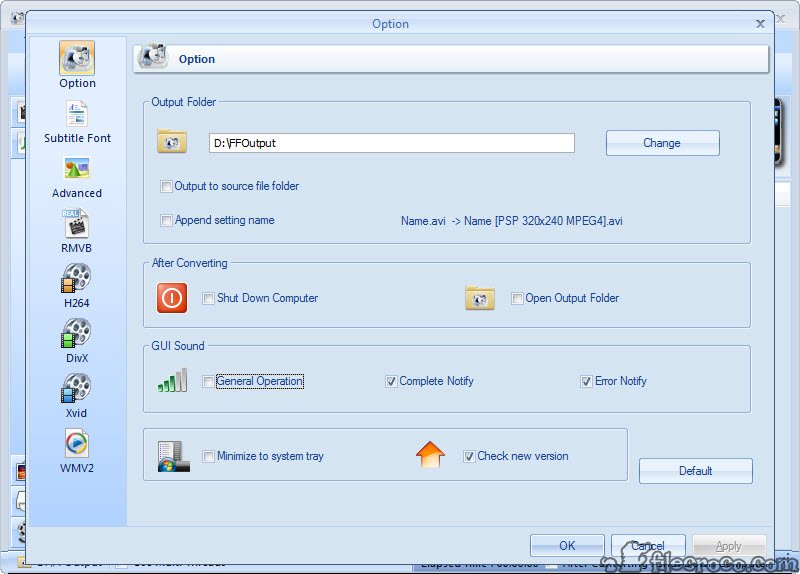
Specifications
User Reviews
No reviews yet. Be the first to review!