
About Virtual DJ
Virtual DJ is a professional DJ software that enables users to mix and blend audio tracks, creating a unique sound experience for their audience. Its primary use case is for live performances, and its top benefit is the ability to seamlessly transition between tracks, making it a must-have tool for DJs. With Virtual DJ, users can take their music to the next level, creating an immersive experience for their listeners.
What is Virtual DJ?
Virtual DJ is a software developed by Atomix Productions, designed to cater to the needs of professional and amateur DJs alike. It solves the problem of manually beat-matching tracks, allowing users to focus on the creative aspect of their performance. With a reputation for being user-friendly and feature-rich, Virtual DJ has become a staple in the music industry.
Virtual DJ's history dates back to the early 2000s, and since then, it has undergone numerous updates and improvements, solidifying its position as a leading DJ software. Its interface is intuitive, making it easy for new users to navigate and master the basics. As a result, Virtual DJ has become a popular choice among DJs, from beginners to seasoned professionals.
One of the key aspects of Virtual DJ is its ability to support a wide range of file formats, including MP3, WAV, and FLAC. This flexibility allows users to work with their preferred file type, making it easier to manage their music library. Additionally, Virtual DJ's beat-matching algorithm ensures that transitions are smooth and seamless, creating a professional-sounding mix.
Virtual DJ's reputation as a reliable and efficient DJ software has been built over the years, with a large community of users and a wide range of supported controllers and interfaces. This has made it an ideal choice for those looking to take their DJing skills to the next level, whether it's for live performances or personal use.
Virtual DJ Key Features
- Beat-Matching: Virtual DJ's beat-matching algorithm ensures that tracks are perfectly synchronized, creating a seamless transition between songs. This feature is essential for DJs, as it eliminates the need for manual beat-matching and allows for a more professional-sounding mix.
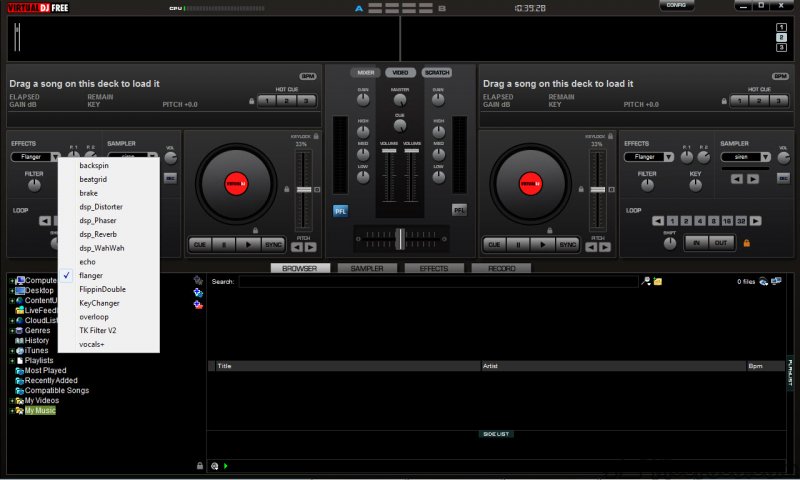
- Effects and Filters: Virtual DJ offers a wide range of effects and filters, including echo, flanger, and distortion, allowing users to enhance and customize their sound. These effects can be used to add depth and complexity to a mix, making it more engaging for the audience.
- Sample-Based Music: Virtual DJ allows users to create and manipulate samples, enabling them to add unique elements to their music. This feature is particularly useful for DJs who want to create a distinctive sound and stand out from others.
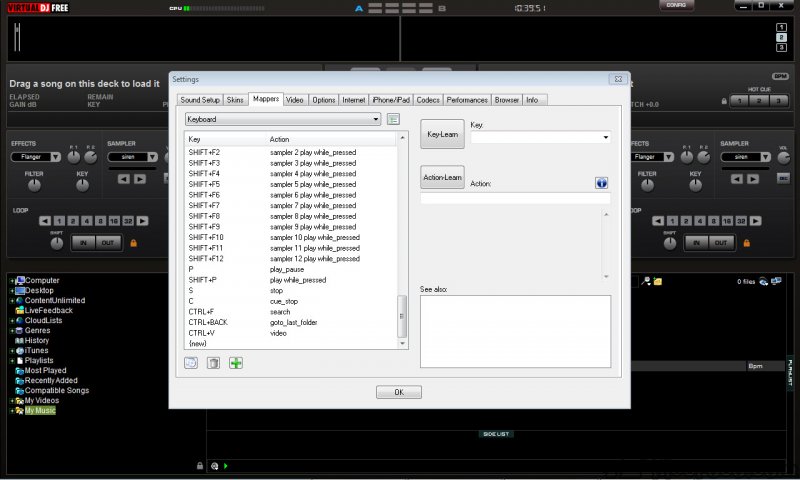
- Controller Support: Virtual DJ supports a wide range of controllers and interfaces, making it easy for users to find a setup that suits their needs. This feature is essential for DJs who prefer to use physical controllers to interact with the software.
- Recording and Broadcasting: Virtual DJ allows users to record and broadcast their performances, making it easy to share their music with a wider audience. This feature is useful for DJs who want to promote their music and reach a larger crowd.
- Real-Time Track Analysis: Virtual DJ analyzes tracks in real-time, providing users with valuable information about the music, such as tempo and key. This feature is helpful for DJs who need to make quick decisions about which tracks to play next.
- Customizable Interface: Virtual DJ's interface is fully customizable, allowing users to tailor the layout to their preferences. This feature is useful for DJs who want to optimize their workflow and improve their performance.
- Supported File Formats: Virtual DJ supports a wide range of file formats, including MP3, WAV, and FLAC, making it easy for users to work with their preferred file type. This feature is essential for DJs who have large music libraries in different formats.
- Beat-Grid Editing: Virtual DJ allows users to edit the beat-grid of their tracks, ensuring that the software's beat-matching algorithm is accurate. This feature is useful for DJs who want to ensure that their tracks are perfectly synchronized.
- Plugin Support: Virtual DJ supports a wide range of plugins, including effects and instruments, allowing users to expand the software's capabilities. This feature is useful for DJs who want to add new sounds and effects to their music.
- Multi-Deck Support: Virtual DJ supports up to 99 virtual decks, allowing users to create complex and layered mixes. This feature is useful for DJs who want to push the boundaries of their creativity and create unique sounds.
Who Should Use Virtual DJ?
Virtual DJ is designed for both professional and amateur DJs, making it an ideal choice for those who want to take their music to the next level. Beginners can use Virtual DJ to learn the basics of DJing, while professionals can use it to refine their skills and create complex mixes. The software's user-friendly interface and extensive feature set make it suitable for a wide range of users.
Specific use cases for Virtual DJ include live performances, such as weddings, parties, and club gigs, as well as personal use, such as creating mixes for exercise or relaxation. The software's flexibility and customization options make it an excellent choice for DJs who want to create unique and engaging music experiences. Additionally, Virtual DJ is useful for music producers who want to create and experiment with new sounds and beats.
The skill level required to use Virtual DJ varies, but beginners can start with the software's intuitive interface and gradually move on to more advanced features. Professionals, on the other hand, can take advantage of Virtual DJ's extensive feature set and customization options to create complex and layered mixes. Overall, Virtual DJ is an excellent choice for anyone who wants to create and perform music, regardless of their skill level or experience.
Virtual DJ: Pros and Cons
Advantages:
- Virtual DJ offers a wide range of features, including beat-matching, effects, and filters, making it a comprehensive DJ software.
- The software's user-friendly interface makes it easy for beginners to learn and master the basics of DJing.
- Virtual DJ supports a wide range of file formats, including MP3, WAV, and FLAC, making it easy for users to work with their preferred file type.
- The software's beat-matching algorithm ensures that transitions are smooth and seamless, creating a professional-sounding mix.
- Virtual DJ's customization options allow users to tailor the software to their preferences, making it an excellent choice for DJs who want to optimize their workflow and improve their performance.
- Virtual DJ's large community of users and wide range of supported controllers and interfaces make it an ideal choice for those who want to take their DJing skills to the next level.
- Virtual DJ's real-time track analysis provides users with valuable information about the music, such as tempo and key, making it easier to make quick decisions about which tracks to play next.
Disadvantages:
- Virtual DJ's extensive feature set can be overwhelming for beginners, making it difficult to learn and master the software.
- The software's system requirements are relatively high, making it necessary for users to have a powerful computer to run it smoothly.
- Virtual DJ's beat-matching algorithm can be inaccurate at times, requiring users to manually adjust the beat-grid to ensure accurate synchronization.
- Virtual DJ's customer support can be slow to respond to queries, making it frustrating for users who need help with the software.
Is Virtual DJ Free?
Yes, Virtual DJ is free to download and use, with no limitations on its features or functionality. The software is available in both free and paid versions, with the free version offering all the basic features and functionality. The paid version, on the other hand, offers additional features and support, making it an ideal choice for professional DJs who want to take their music to the next level.
It's worth noting that while Virtual DJ is free, it does offer in-app purchases and subscriptions, which can enhance the user experience and provide access to additional features and content. However, the free version is more than sufficient for most users, making it an excellent choice for those who want to try out the software without committing to a purchase.
Frequently Asked Questions about Virtual DJ
Yes, Virtual DJ is safe to use, as it does not contain any malware or viruses. However, it's always a good idea to download the software from the official website to ensure that you're getting a legitimate copy.
Virtual DJ is a professional DJ software that enables users to mix and blend audio tracks, creating a unique sound experience for their audience. It offers a wide range of features, including beat-matching, effects, and filters, making it a comprehensive DJ software.
Yes, Virtual DJ is free to download and use, with no limitations on its features or functionality. The software is available in both free and paid versions, with the free version offering all the basic features and functionality.
Using Virtual DJ is relatively straightforward, as the software's user-friendly interface makes it easy to navigate and master the basics. Simply download and install the software, launch it, and start exploring its features and functionality. You can also find tutorials and guides online to help you get started.
Both Virtual DJ and Traktor are excellent DJ software options, but the choice between them ultimately depends on your specific needs and preferences. Virtual DJ is known for its user-friendly interface and extensive feature set, while Traktor is renowned for its advanced features and customization options. If you're a beginner, Virtual DJ might be a better choice, while Traktor might be more suitable for professional DJs who want to take their music to the next level.
Overall, Virtual DJ is an excellent choice for anyone who wants to create and perform music, regardless of their skill level or experience. With its comprehensive feature set, user-friendly interface, and customization options, Virtual DJ is an ideal choice for DJs who want to take their music to the next level. I highly recommend downloading Virtual DJ and exploring its features and functionality to see how it can enhance your music experience.
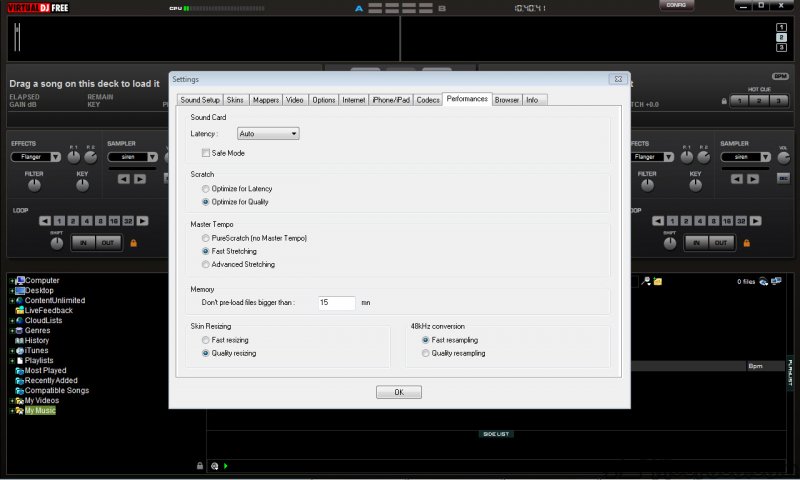
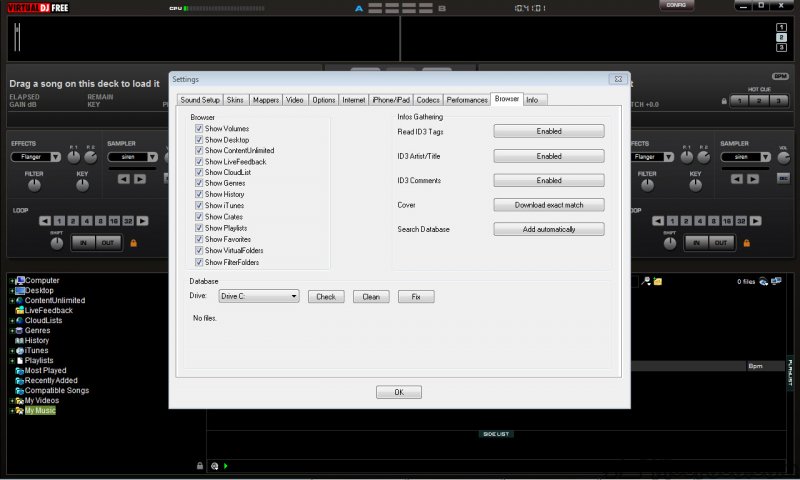
Screenshots
Specifications
User Reviews
No reviews yet. Be the first to review!