
About K-Lite Mega Codec Pack
K-Lite Mega Codec Pack is a comprehensive collection of audio and video codecs that enables users to play a wide range of media files on their computers. The primary use case for K-Lite Mega Codec Pack is to provide a hassle-free media playback experience, and its top benefit is the ability to play almost any media file without the need for additional codec downloads. By installing K-Lite Mega Codec Pack, users can enjoy seamless playback of their favorite movies, TV shows, and music.
What is K-Lite Mega Codec Pack?
K-Lite Mega Codec Pack is developed by Codec Guide, a reputable company known for its expertise in codec development. The pack includes a wide range of codecs, including MPEG-1, MPEG-2, MPEG-4, H.264, and many more, making it a one-stop solution for all media playback needs. K-Lite Mega Codec Pack solves the problem of incompatible media files by providing a comprehensive set of codecs that can handle various file formats.
The history of K-Lite Mega Codec Pack dates back to the early 2000s, and since then, it has become one of the most popular codec packs available. K-Lite Mega Codec Pack has a reputation for being reliable, efficient, and easy to use, making it a favorite among media enthusiasts. With its regular updates, K-Lite Mega Codec Pack stays up-to-date with the latest codec developments, ensuring that users can play the latest media files without any issues.
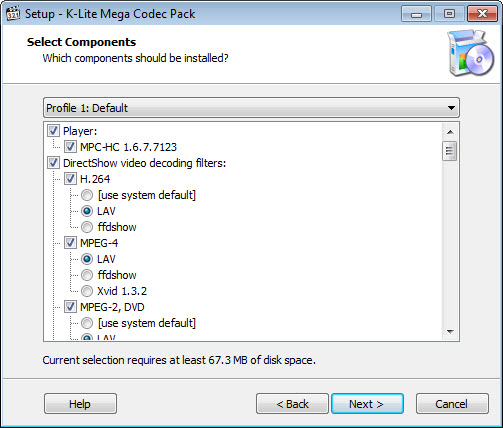
K-Lite Mega Codec Pack is designed to be user-friendly, and its installation process is straightforward. The pack is compatible with various Windows operating systems, including Windows 10, 8, and 7, making it a versatile solution for media playback. K-Lite Mega Codec Pack also supports various media players, including Windows Media Player, VLC, and KMPlayer.
Overall, K-Lite Mega Codec Pack is a powerful tool that enables users to play a wide range of media files without any compatibility issues. With its comprehensive set of codecs and user-friendly interface, K-Lite Mega Codec Pack is an essential tool for anyone who wants to enjoy seamless media playback.
K-Lite Mega Codec Pack Key Features
- Comprehensive Codec Collection: K-Lite Mega Codec Pack includes a wide range of audio and video codecs, making it a one-stop solution for all media playback needs. This feature ensures that users can play almost any media file without the need for additional codec downloads.
- Media Player Support: K-Lite Mega Codec Pack supports various media players, including Windows Media Player, VLC, and KMPlayer, giving users the flexibility to choose their preferred player. This feature allows users to enjoy seamless media playback with their favorite media player.
- Regular Updates: K-Lite Mega Codec Pack is regularly updated to ensure that users can play the latest media files without any issues. This feature keeps the pack up-to-date with the latest codec developments, ensuring that users can enjoy the latest media content.
- User-Friendly Interface: K-Lite Mega Codec Pack has a user-friendly interface that makes it easy to install and use. This feature allows users to quickly and easily install the pack and start enjoying seamless media playback.
- Compatibility: K-Lite Mega Codec Pack is compatible with various Windows operating systems, including Windows 10, 8, and 7, making it a versatile solution for media playback. This feature ensures that users can enjoy seamless media playback regardless of their operating system.
- Free to Use: K-Lite Mega Codec Pack is completely free to use, making it an affordable solution for media playback. This feature allows users to enjoy seamless media playback without incurring any costs.
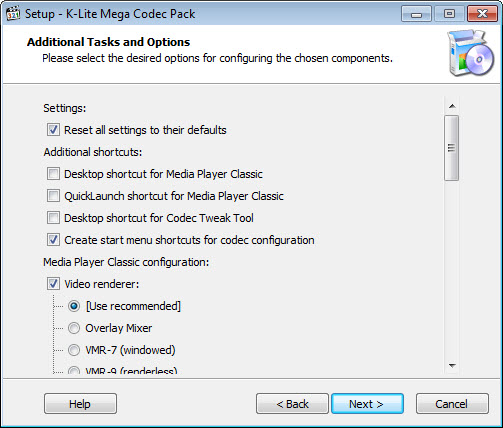
- Customizable: K-Lite Mega Codec Pack allows users to customize their codec settings, giving them control over their media playback experience. This feature enables users to tailor their media playback experience to their specific needs.
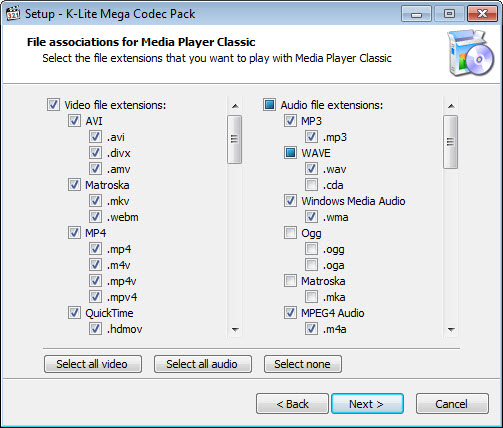
- Support for Multiple File Formats: K-Lite Mega Codec Pack supports a wide range of file formats, including AVI, MP4, MKV, and many more. This feature ensures that users can play almost any media file without any compatibility issues.
- Low System Requirements: K-Lite Mega Codec Pack has low system requirements, making it suitable for use on older computers. This feature ensures that users can enjoy seamless media playback even on lower-end hardware.
- Easy to Uninstall: K-Lite Mega Codec Pack is easy to uninstall, giving users the flexibility to remove the pack if they no longer need it. This feature allows users to quickly and easily remove the pack without any issues.
- Support for 64-Bit Operating Systems: K-Lite Mega Codec Pack supports 64-bit operating systems, making it a versatile solution for media playback. This feature ensures that users can enjoy seamless media playback on both 32-bit and 64-bit operating systems.
- Constantly Updated Codec List: K-Lite Mega Codec Pack has a constantly updated codec list, ensuring that users can play the latest media files without any issues. This feature keeps the pack up-to-date with the latest codec developments, ensuring that users can enjoy the latest media content.
Who Should Use K-Lite Mega Codec Pack?
K-Lite Mega Codec Pack is suitable for anyone who wants to enjoy seamless media playback on their computer. Beginners can use K-Lite Mega Codec Pack to play their favorite movies and TV shows without any compatibility issues, while professionals can use it to play high-definition videos and other complex media files. Businesses can also use K-Lite Mega Codec Pack to provide a hassle-free media playback experience for their employees.
K-Lite Mega Codec Pack is particularly useful for users who frequently watch videos online or play media files from their computer. It is also useful for users who have a large collection of media files and want to play them without any compatibility issues. With its comprehensive set of codecs and user-friendly interface, K-Lite Mega Codec Pack is an essential tool for anyone who wants to enjoy seamless media playback.
Overall, K-Lite Mega Codec Pack is a versatile solution that can be used by anyone who wants to enjoy seamless media playback. Its ease of use and comprehensive set of codecs make it an ideal solution for users of all skill levels.
K-Lite Mega Codec Pack: Pros and Cons
Advantages:
- K-Lite Mega Codec Pack provides a comprehensive set of codecs, making it a one-stop solution for all media playback needs.
- K-Lite Mega Codec Pack is free to use, making it an affordable solution for media playback.
- K-Lite Mega Codec Pack has a user-friendly interface that makes it easy to install and use.
- K-Lite Mega Codec Pack supports various media players, giving users the flexibility to choose their preferred player.
- K-Lite Mega Codec Pack is regularly updated to ensure that users can play the latest media files without any issues.
- K-Lite Mega Codec Pack has low system requirements, making it suitable for use on older computers.
- K-Lite Mega Codec Pack supports a wide range of file formats, including AVI, MP4, MKV, and many more.
Disadvantages:
- K-Lite Mega Codec Pack can be complex to configure for advanced users.
- K-Lite Mega Codec Pack may not be compatible with all media players.
- K-Lite Mega Codec Pack may require additional downloads for certain codecs.
- K-Lite Mega Codec Pack may have some compatibility issues with certain operating systems.
Is K-Lite Mega Codec Pack Free?
K-Lite Mega Codec Pack is completely free to use, making it an affordable solution for media playback. There are no paid tiers or subscriptions required to use K-Lite Mega Codec Pack, and users can enjoy seamless media playback without incurring any costs.
As K-Lite Mega Codec Pack is free, users can download and install it without any financial commitments. This makes it an ideal solution for users who want to enjoy seamless media playback without breaking the bank.
Frequently Asked Questions about K-Lite Mega Codec Pack
Yes, K-Lite Mega Codec Pack is safe to use, as it is developed by a reputable company and is regularly updated to ensure that it is free from malware and other security threats.
K-Lite Mega Codec Pack provides a comprehensive set of audio and video codecs that enable users to play a wide range of media files on their computers.
Yes, K-Lite Mega Codec Pack is completely free to use, making it an affordable solution for media playback.
To use K-Lite Mega Codec Pack, simply download and install it on your computer, and then use your preferred media player to play your media files.
K-Lite Mega Codec Pack and VLC Media Player are both popular media playback solutions, but K-Lite Mega Codec Pack provides a more comprehensive set of codecs, making it a better solution for users who need to play a wide range of media files.
K-Lite Mega Codec Pack is a powerful tool that enables users to play a wide range of media files on their computers. With its comprehensive set of codecs and user-friendly interface, K-Lite Mega Codec Pack is an essential tool for anyone who wants to enjoy seamless media playback. We highly recommend downloading K-Lite Mega Codec Pack to enjoy hassle-free media playback on your computer.
Screenshots
Specifications
User Reviews
No reviews yet. Be the first to review!